Your Intranet Isn’t Broken Because of SharePoint. It’s Because of What Came Before It
TL;DR: Most SharePoint intranet failures stem from decisions made before a single page was built. Structure, navigation, search, and governance aren't configuration tasks. They're strategic decisions. This article walks you through exactly how to get them right.
Your intranet’s success depends on its information architecture, not just the platform itself. When there’s a clear structure, easy navigation, and defined ownership, it becomes much easier for everyone to engage with SharePoint features and boost productivity. This article, based on our most recent webinar on Designing a Modern Intranet in SharePoint Online, highlights how to create an intuitive information architecture for SharePoint intranets that your employees will actually find useful and want to use.
SharePoint Gets Blamed for Decisions No One Wants to Own
Here's a common scenario many organizations face each week: the IT team creates a new SharePoint intranet that looks fantastic in the demo, and leadership gives it a thumbs-up. The launch email is sent out, but then... things don’t quite take off. Employees still rely on email and Teams chats to find company policies, HR continues to be asked for the org chart, and the search bar becomes a bit of a joke.
If your current intranet feels more like a secondary option that employees only use when necessary, if leadership doesn't fully trust it as a reliable communication tool, if the experience feels a bit dated, or if the search function is frustrating and leads to complaints, you're not alone. Perhaps content creation feels tricky, or ownership and governance aren’t as clear as they should be.
Remember, the issue isn't with SharePoint itself. This platform is more powerful than ever. The real challenge is often structural, happening even before the first web part is added.
Hybrid Work Didn’t Break Your Intranet — It Exposed It
Employees typically spend around 1.8 hours a day searching for information, which adds up to nearly nine full workweeks each year lost to inefficiency. This isn't just a simple search issue; it's a deeper, structural challenge that calls for a thoughtful rethinking of how we work.
Research shows that frequent context switching and scattered communication tools can reduce individual productivity by as much as 40% as employees constantly switch between different apps, conversations, and document versions.
The stakes are higher than ever. As organizations embrace hybrid work and AI-driven experiences, intranets become essential for fostering communication, collaboration, and organizational growth. A well-designed modern intranet can energize your team, while a poorly designed one may hinder progress and limit your organization's ability to adapt and thrive.
Discover the essential strategic changes that modern intranets must implement →
SharePoint Intranet Information Architecture Is the Foundation (Not a Deliverable)
Information Architecture in a modern intranet involves carefully organizing, structuring, and labelling content to make it clear and easy to maintain. Within an intranet, the information architecture (IA) guides how information is arranged, helping users find their way around smoothly and making it easy for them to search for and access what they need.
This isn't just about making things look good; it's about helping people find what they need easily. A thoughtfully designed IA answers three key questions every team member has when they visit your intranet:
- Where can I go to find what I'm looking for?
- What's the trusted source for this information?
- What's most relevant to me personally?
With a little care in designing your IA, even a SharePoint Online platform full of rich content and powerful search features can become a lot more user-friendly and less overwhelming.
The key IA building blocks for a modern SharePoint intranet include:
- Global Navigation: This refers to the tenant-level wayfinding, typically the primary navigation bar that appears across all
 sites, offering consistent access to the most critical areas of the digital workplace.
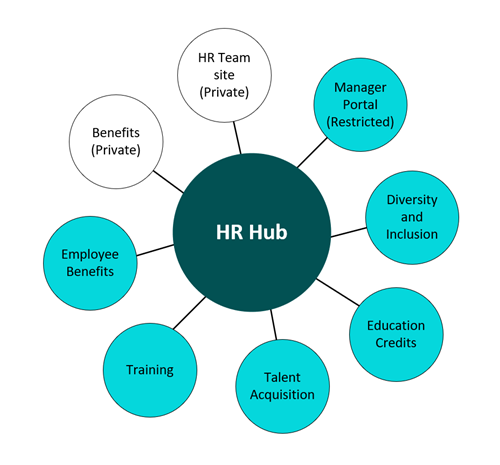
 - Hub Sites: Hub sites are central to modern SharePoint intranets, serving as connective tissue that groups related sites and content under shared navigation, roll-up capabilities, and a consistent look and feel. This helps manage complexity and provides a coherent experience.
- Metadata Architecture: Implementing a well-defined metadata strategy (keywords, tags, content types) is crucial. It significantly enhances search capabilities, supports content browsing and filtering, and is essential for compliance and content lifecycle management.
The bottom line: Define your information architecture early and intentionally. Your structural decisions set the foundation for content organization, governance, search, navigation, and future AI-driven experiences.
Keep reading: How Information Architecture Powers Modern SharePoint Online Intranets
Employee-First IA: Design Around Tasks, Not Departments
Most intranets mirror the company's structure, such as departments, reporting lines, and internal hierarchy. However, employees usually don't think this way when they need to get things done. To build a successful digital workplace in SharePoint Online, it's important to create a well-thought-out information architecture that puts users first, rather than simply copying the organizational chart. This way, the structure will better reflect how people actually work and what they need to succeed.
This means you should start with some preliminary work. Consider running card sorts, interviewing frontline employees, studying navigation patterns, and asking IT about the most common support requests. The questions you're hearing reveal the gaps your intranet needs to fill.
A modern, smart intranet should be mobile-friendly, accessible, and easy to use for everyone. While branding is important, it's not the main priority. If someone can't quickly find the expense form on their phone in 30 seconds, how it looks on the home page doesn't really matter.
Keep reading: How to Plan Your Transition to Teams-Centric Information Architecture
Fix Search Before You Launch
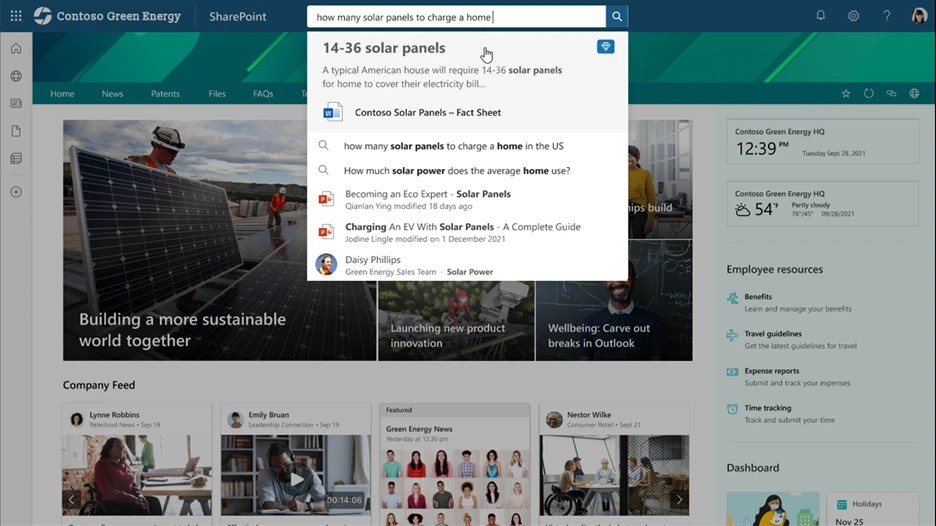
Search is often where intranets quietly fade away. Users try it a couple of times, encounter frustrations, and then stop using it. As a result, the intranet becomes a quiet space with few visitors, maintained by IT but rarely accessed.
The good news is that you can learn how to make people and enterprise search much better, helping employees find information and expertise more quickly and easily.
However, improving search isn't just a toggle you switch on. It really depends on the quality of your information architecture. Clear metadata, consistent content types, and a well-managed content lifecycle are what help search produce relevant results. Without these, even Microsoft's powerful enterprise search engine can return too much noise.
When designing search experiences, think about the two main types:
- Enterprise Search: This is about discovering content across your intranet policies, announcements, documents, and projects. Your metadata strategy really shines here. When content is properly tagged, it appears in the right context, for the right person, at just the right moment.
- People Search: Quickly finding the right expert within your organization. Staff 365 makes it easy to see and search by what each person can do, helping break down knowledge silos by connecting different systems into a single, easy-to-search people portal. Plus, AI-powered discovery helps find skills and people beyond simple keywords.
If your people search returns a name and a job title, it's not doing its job.
Centralize What Matters or Keep Paying the “Where Is It?” Tax
Using SharePoint as the main hub for policies, communications, and resources can really enhance your intranet redesign. Having everything in one place makes it so much easier to connect the dots and find what you need quickly, keeping everyone informed and engaged.
When policies are spread across email attachments, shared drives, and outdated departmental websites, it can lead to compliance risks and reduce productivity. This disorganization also poses an oversharing risk, making scattered content potentially dangerous. If employees cannot locate the most recent version of a policy, they may inadvertently use an outdated one or have to ask someone for help. Neither of these situations is ideal.
A centralized policy library with clear ownership, version control, and a smart search function is one of those intranet features that employees notice right away and truly appreciate over time.
Staff 365 makes it simple to create, publish, and track policies with digital sign-offs and automatic compliance reports. It transforms policy management from a manual hassle into a smooth, automated process that’s seamlessly integrated into your intranet.
Copilot Is an Amplifier. Decide What You Want Amplified.
Microsoft Copilot is changing what's possible in the digital workplace. But it only works well when the underlying data is clean, well-structured, and properly governed. Turning on Copilot in a messy tenant doesn't unlock productivity. It amplifies your existing problems.
Use Copilot and AI-powered search tools to enhance discovery and find meaningful answers more easily. Keep in mind that the real work starts before Copilot is activated.
To keep things smooth and avoid surprises, it's helpful to know that, in a worst-case scenario, HR might call you after you activate Copilot. This is because sensitive information, such as user salaries, notes from termination meetings, and unreported board minutes, could appear in search results.
But before launching your intranet with AI features, make sure you’ve addressed:
- Oversharing: Check who has access to what. Remember, Copilot displays only the content users are allowed to see. If permissions are too wide, sensitive info could be unintentionally revealed.
- Outdated Content: Old files can lead to outdated answers. Copilot isn’t aware if a policy from 2019 has been replaced.
- Governance: Establish controls to ensure future content follows your preferred structure and access guidelines.
The Tenant Dashboard for Microsoft 365 is a great tool for spotting risks and preventing oversharing. It shows all sharing links and broken permissions, helps remove risky access, and tidies up over-permissioned groups at scale. This way, you can confidently prepare for Copilot activation and enjoy its benefits.
Automate the Work That Doesn't Need to Be Manual
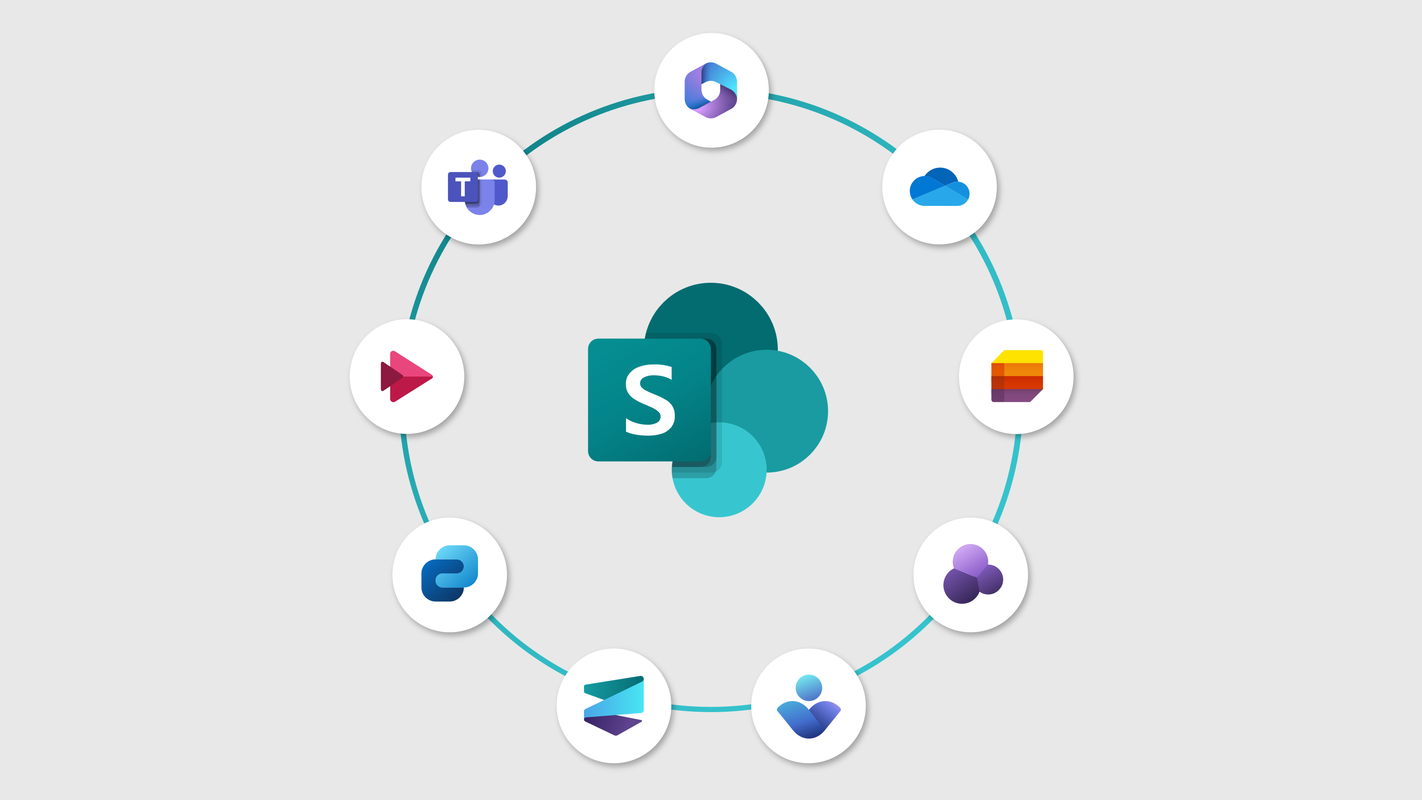
Discover how you can make your business smoother and more efficient with Microsoft 365. By combining modern SharePoint Online with the Power Platform Suite, you can leverage Microsoft Forms, workflows, and automation to turn your intranet into a lively, helpful hub.
Modern SharePoint, together with Power Automate and Power Apps, turns your intranet into an operational platform. Think beyond content publishing and imagine streamlining processes such as:
• New employee onboarding workflows
• Policy acknowledgment and sign-off tracking
• IT request intake forms
• Departmental approval routing
These simple automations not only make employees' lives easier but also reduce your IT team's workload. They also transform the intranet into a daily tool that truly supports everyone’s work, making it a place where people want to engage every day.
Ownership Is the Missing Feature
Every intranet begins with great potential. Over time, many lose their way, often because no one takes ownership of the content, there's no clear process to keep information up to date, and standards go unenforced.
The organizations that get the most out of SharePoint always start with a solid foundation: they set clear business goals, assign ownership, develop a content strategy, structure the architecture, and establish governance before jumping into visual design or adding web parts.
Without this base, design can feel like just filling space rather than building a system that truly works as intended. Remember, governance isn't about bureaucracy; it's about bringing clarity. Who owns each site? Who ensures the content is accurate? What's the content lifecycle? When is a page reviewed or retired? Making these decisions once and applying them consistently is what keeps an intranet useful and valuable, even years after its launch.
A good design philosophy is the Distributed Content Authoring Model, where each hub has clear owners who are trained to create content and keep their part of the intranet up to date. It also helps the communications person or committee. This ensures relevant information reaches your intranet faster and encourages more users to interact with it.
Benefits of Strong SharePoint Intranet Information Architecture
When structure, search, people connections, and governance are thoughtfully designed together, the intranet becomes a welcoming and reliable space that employees naturally rely on. A well-crafted IA turns an intranet from just a place to store documents into a smart, engaging, and personalized digital environment that truly enhances the employee experience.
Leadership feels confident using it as a trusted communication channel because they know their message will reach everyone. New hires become productive more quickly, ensuring that all decisions don’t have to go through one person quickly, as they can easily find the information they need on their own. IT team members spend less time answering repetitive questions like "Where do I find..." and when Copilot joins in, it genuinely lives up to its promise of making work easier.
Next Step: Assess Your SharePoint Intranet Information Architecture
If you're thinking about redesigning your intranet or trying to fix one that didn't quite meet your expectations, the next step isn't design. It's a diagnosis.
Book an Intranet Assessment with Envision IT. We'll review your current SharePoint environment, identify structural gaps, and provide you with a clear, prioritized roadmap from where you are to where your organization needs to be, grounded in 30+ years of Microsoft 365 expertise.
SharePoint Information Architecture FAQs
Subscribe to Modern Work Monthly
Get the latest Microsoft 365 + Copilot insights to help your teams work smarter, faster.
We respect your inbox. Unsubscribe anytime.