SharePoint Intranet for the Modern Workplace
Build a secure, intelligent SharePoint intranet that connects people, knowledge, and workflows across Microsoft 365.
See Process Book a Meeting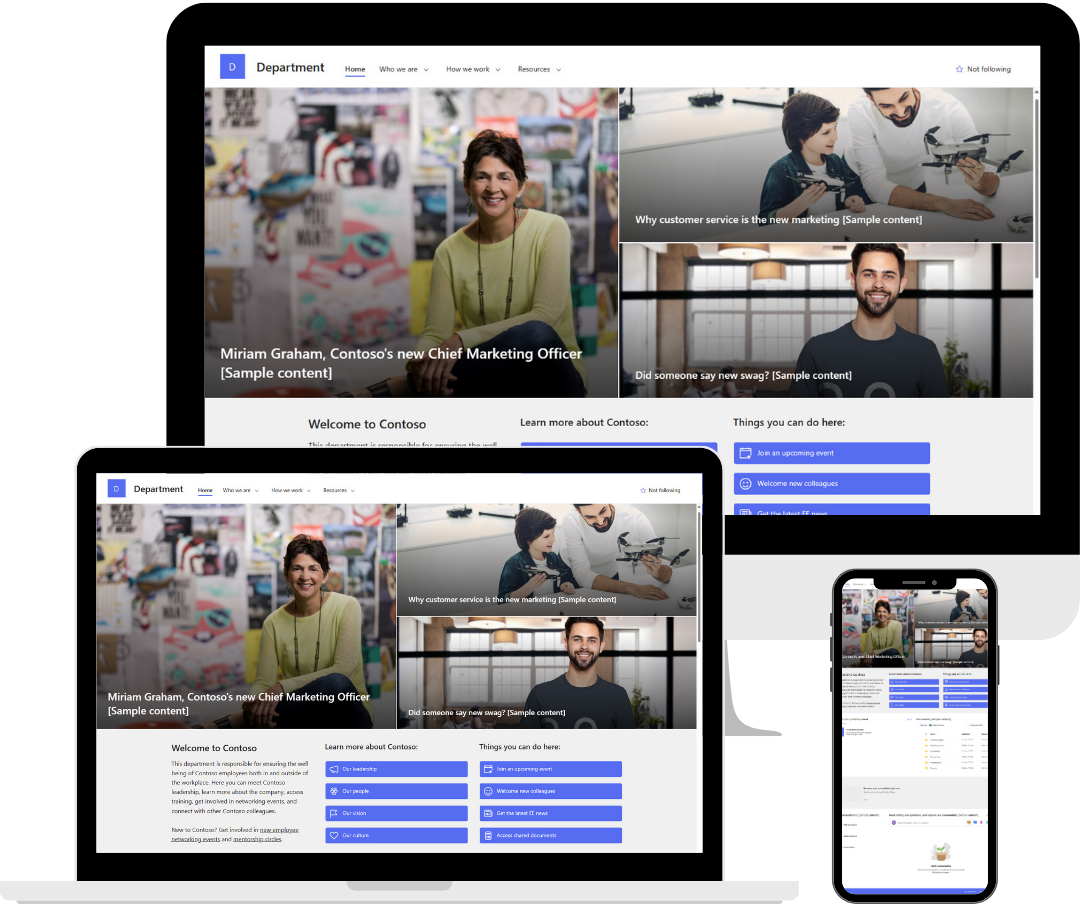
Is Your Intranet Holding Your Team Back?

Disconnected Teams
Your current intranet creates barriers. Departments work in silos, communication stalls, and collaboration is challenging.

Stale Information
Your team is drowning in documents and wasting hours navigating a broken document management system.

Communication Barriers
Without a hub for updates and resources, teams waste time hunting for information instead of using it.
Integration Challenges
Your current systems don't talk to each other. Fragmented tools and complex integrations create more work, preventing your teams from working efficiently.

Outdated Technology Trap
Legacy systems and on-premises SharePoint installations keep you stuck in the past. You're missing out on modern features that could propel your business and team forward.
Why Choose a SharePoint Intranet?
A SharePoint intranet is distinct from other platforms due to its deep integration with Microsoft 365, a significant advantage for modern businesses. Unlike standalone intranet solutions, SharePoint connects seamlessly with tools your employees already use, such as Outlook, Teams, and OneDrive. This creates a natural extension of their digital workspace instead of adding another disconnected platform to manage.
The key features of SharePoint include extensive customization options, robust document management capabilities, and enterprise-grade security. Its scalability and development potential make it particularly valuable for organizations within the Microsoft ecosystem, whether for small businesses or large enterprises. Unlike standalone solutions that produce isolated information silos, SharePoint serves as the connective tissue that unifies your digital workspace.
Trust the SharePoint Experts Your Business Can Rely On
Unlike companies that work across many platforms, Envision IT has focused only on SharePoint intranet solutions for more than 25 years. As a Microsoft Partner with strong experience in SharePoint Online, Microsoft 365, Azure, Entra ID, enterprise search, and Copilot, we create SharePoint intranets that deliver real results. Our team covers everything from strategy and governance to user experience and adoption, bringing deep knowledge to every project. If you want a SharePoint intranet that brings your workplace to life, choose the team that truly lives and breathes SharePoint.

Our SharePoint Intranet Implementation Roadmap
Make your SharePoint intranet stand out with the right design, features, and branding. Envision IT designs modern, intelligent and user-focused SharePoint intranet experiences that work smoothly for employees, clients, and stakeholders. Our experienced team delivers practical, affordable solutions that align with your brand, boost engagement, and make your digital workspace easier to use. We help your SharePoint intranet look good, work well, and make an impact, ensuring your project is a success.
Discovery & Assessment
We identify gaps, risks, and opportunities in your digital workplace so your SharePoint intranet aligns with your business goals and delivers measurable value from day one.
Planning & Design
Through collaborative workshops and focused information gathering, we create a clear information architecture, an intuitive user experience, and a branded design that ensures your intranet is easy to navigate, scalable, and built for long‑term adoption.
Build & Implement
Your modern, branded intranet comes to life, striking the right balance between native SharePoint capabilities and tailored solutions, optimized for collaboration, efficiency, and growth.

Training & Launch
Through training and post-launch support, your teams are equipped with the knowledge, confidence, content, and support needed to confidently use the intranet, maximize ROI, and sustain engagement over time.
A Full Suite of Microsoft SharePoint Development Services
Migration to SharePoint

Custom Development
System Integration

Strategic Consulting
User-Centric Design
Intranet Support
Implemented for:


Ready to Modernize Your SharePoint Intranet?
Book a free SharePoint consultation and discover how a modern, intelligent intranet can transform collaboration, communication, and productivity. Our SharePoint experts will help you unlock the full potential of SharePoint Online and Microsoft 365 so your intranet delivers real business value.
Talk to Our Expert SharePoint Consultants