Why Your M&A Deal Needs a Data Room Built on Microsoft 365
TL;DR: Most organizations treat the due diligence data room as an afterthought, which is a serious mistake. A poorly secured or hastily assembled data room can unravel a deal worth hundreds of millions. Built on Microsoft 365, a properly configured virtual data room gives your legal, finance, and executive teams the security, structure, and speed needed to close with confidence.
The Call Nobody Wants During Due Diligence
Your deal is weeks from closing. A $400M acquisition. Years of relationship-building, legal work, and financial modelling. Then a leak. A document was shared with the wrong party. A buyer now knows things they shouldn't. At best, the deal is delayed. At worst, it collapses entirely.
This isn't a hypothetical. In 2017, the Verizon-Yahoo M&A revealed a data breach that Yahoo had tried to hide before and during the acquisition. That breach alone allowed Verizon to reduce the transaction price by $350 million. That's the cost of inadequate data governance during a deal. And it's a cost organizations are still paying today.
The mechanism meant to prevent exactly this kind of exposure is the data room. But not all data rooms are created equal.
What is a Virtual Data Room for Mergers and Acquisitions?
Mergers and acquisitions have historically used physical data rooms as part of the necessary due diligence process. This allowed all individuals who required access to review relevant information in a secure setting without the risk of unauthorized access to confidential documents. Now, in the international, widespread business landscape, online document sharing is a necessary practice. However, this poses new challenges for information security within the M&A process.
A virtual data room (VDR) enables the same document sharing during the M&A process while maintaining the security of information provided in physical data rooms. The virtual data room is a secure online platform used to share information with authorized parties during a merger or acquisition. Access can be given to any relevant parties, including lawyers, consultants, bankers, CEOs, and CFOs. A virtual data room allows your team to share or receive any relevant documentation required during the due diligence process, including, but not limited to, contracts, loan information, tax documentation, company information, and financial statements. A VDR provides a secure place for all parties to share and review information during the final stages of negotiations.
Learn more about the Extranet User Manager Data Room.
What is an M&A Virtual Data Room?
Mergers and acquisitions have long relied on physical data rooms as part of the necessary due diligence process. This allowed all individuals who required access to review relevant information in a secure setting, without the risk of unauthorized access to confidential documents.
Today, deals are global. Your acquirer's legal team is in New York. Their CFO is in London. Their compliance lead is in Singapore. Physical data rooms don't scale to that reality.
A virtual data room (VDR) enables the same document sharing during the M&A process while maintaining the security of information provided in physical data rooms. A VDR is a secure online platform used to share information with authorized parties during a merger or acquisition. Access can be granted to any relevant parties, including lawyers, consultants, bankers, CEOs, and CFOs. A VDR provides a secure place for all parties to share and review information during the final stages of negotiations, including contracts, loan information, tax documentation, company information, and financial statements.
The question isn't whether you need one. It's whether the one you're using is actually secure.
For a deeper look at VDR fundamentals, use cases, and how they differ from standard file sharing, see our complete guide.
Why Third-Party VDRs Are a Risk, Not a Solution
Most organizations assume that subscribing to a dedicated VDR service is the safest route. It's familiar, it's fast to spin up, and the vendor promises enterprise-grade security. But there's a structural problem most IT teams miss.
Most digital VDRs operate as third-party SaaS silos. This means your most sensitive data leaves your secure perimeter and resides on a vendor's server. Sensitive data moves to third-party infrastructure, creating an additional "hop" and expanding your attack surface.
For your legal and finance teams, that gap matters. You've spent years building out a Microsoft 365 environment with Identity and Access Management, Conditional Access Policies, Purview sensitivity labelling, and full audit trails. The moment you push your M&A documents into a third-party VDR, you step outside all of it.
A Microsoft 365 Native Virtual Data Room is a secure collaboration environment that lives entirely within your organization's SharePoint Online tenant. Unlike traditional VDRs, it leverages your existing investments in Microsoft security, identity, and compliance. Data remains within your secure Microsoft 365 boundary. Governance is applied in place, ensuring you retain total ownership.
That's not a marginal improvement. That's a fundamentally different security posture.

Four Things Your M&A Data Room Must Do
Disclosure requirements vary by deal, jurisdiction, document set, and parties at the table. But the underlying infrastructure shouldn't be improvised. These are four foundational capabilities your data room should have in place before the first document is shared.
1. Lock Down Access From Day One
In an M&A data room, access isn't a feature; it's the foundation. Every document should be visible only to the parties who need it, at the level they need it, and only for as long as the deal requires. Access controls should be flexible enough to restrict or elevate permissions by role, from a buyer's legal counsel who needs full visibility to a consultant who needs access to only a single workstream.
With a Microsoft 365-native solution like Extranet User Manager, permission-controlled spaces can be set up in minutes using automated, Excel-driven folder templates. You define who sees what at the document level, not just the folder level, and revoke access just as quickly when a workstream closes. Both internal and external users with appropriate permissions can view, upload, and request documents, making it easy for all parties to conduct due diligence efficiently and securely.
2. Manage External Users Without Creating IT Bottlenecks
M&A due diligence involves many external parties: lawyers, bankers, auditors, and consultants. Manually provisioning and de-provisioning access for each one poses a compliance risk and creates an operational headache. And if you have external counsel without a Microsoft account, here's how EUM handles that.
Extranet User Manager gives deal teams a user-friendly portal to onboard external participants, organize documents by project and version, and collaborate on the most current agreed-upon files, reducing errors and eliminating version confusion. EUM supports delegated user management, allowing trusted internal team members to manage external user permissions directly, without routing every change through IT. Access remains limited to those who require it, an essential practice when deal-sensitive documents are on the line.
The platform also supports branding customization, so your data room reflects your organization's identity and reinforces your commitment to data security and professionalism throughout the due diligence process. A branded, well-structured data room not only expedites negotiations but also gives buyers confidence in their decision to acquire your company.
3. Maintain a Complete Audit Trail
Regulators and deal counsel will want to know exactly who accessed what and when. With documents stored in SharePoint Online, admins benefit from native version control, sensitivity labels, and granular audit logs for every file. Sensitivity labels on specific documents can trigger Multi-Factor Authentication before access is granted, adding an identity verification layer to your most sensitive deal materials.
Document versioning and change tracking preserve every iteration, so your legal team can demonstrate exactly which version of a file was shared, when it was accessed, and by whom. This isn't just good practice. It's defensible governance.
4. Collaborate Without Compromising Security
Physical data rooms once provided a secure space for due diligence, but they were constrained by geography. A virtual data room removes that constraint, enabling participants to access documents globally, 24/7, regardless of time zone.
The EUM Data Room platform supports this with:
- Document tagging and metadata management for structured organization
- View-only and downloadable file distribution with granular controls
- Document collection with upload, tagging, and annotation capabilities
- Full version history and change tracking
- Automated workflows for document handling and approvals
As deals grow more complex and involve more parties across more jurisdictions, the data room needs to keep pace. A Microsoft 365-native data room delivers the security of a physical room with the convenience and efficiency of a modern platform, without asking your team to leave the environment they already work in.
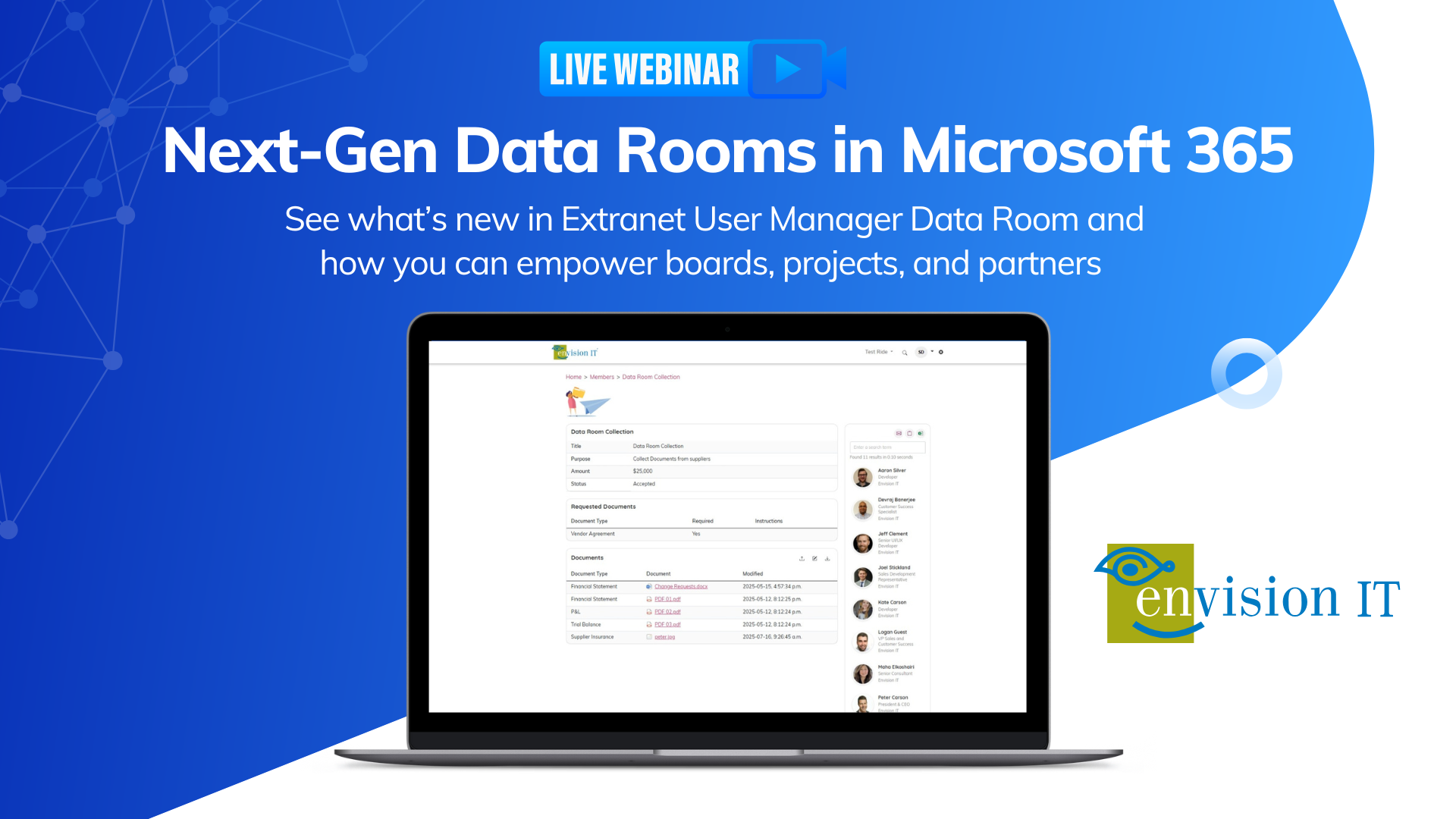
Watch our webinar to see the EUM Data Room in action.

The Business Case Is Simple
When a single data breach can trigger renegotiation of a $350 million deal, the ROI of a properly governed data room is immediate. You're not buying a tool. You're buying insurance on your transaction.
Beyond risk avoidance, a Microsoft 365-native data room eliminates the costs of standalone VDR platforms' per-page fees, per-user surcharges, storage overages, and the operational overhead of managing a parallel system. Your team works in the environment they already know, using the security controls you've already deployed.
Start Using It Before You Need It
The worst time to configure a data room is during active negotiations. Deploy it now, while the pressure is off. Use it for board materials, partner document sharing, and vendor collaboration. By the time a deal hits the table, your team will operate the data room with confidence.
Organizations that integrate a virtual data room into daily operations before an M&A, for external client sharing, regulatory submissions, or governance workflows, are consistently better prepared when deal pressure arrives. The platform is familiar, permission structures are tested, and the audit trail is already in place.
What Happens When You Get It Right
When your data room is built on Microsoft 365 and backed by EUM's delegated access controls, MFA-enforced sensitivity labels, and a full SharePoint audit trail, you're not just protecting the deal. You're demonstrating organizational maturity to prospective buyers or investors.
A secure, branded data room platform doesn't just expedite due diligence. It reinforces your organization's commitment to data security, giving buyers confidence in their decision to acquire your company.
Deals close faster. Due diligence runs more smoothly. And your legal team stops losing sleep.
Ready to Build Your M&A Data Room?
If you're running or planning an M&A transaction, don't wait for a breach to force the conversation. Book a Test Ride of Extranet User Manager to see how Envision IT can configure a secure, Microsoft 365-native virtual data room for your next deal — in days, not weeks.
Want to See a Microsoft 365-Native Data Room in Action?
Watch our webinar to see how the EUM Data Room delivers the security, structure, and speed your next deal demands.
M&A Virtual Data Room Frequently Asked Questions
Subscribe to Modern Work Monthly
Get the latest Microsoft 365 + Copilot insights to help your teams work smarter, faster.
We respect your inbox. Unsubscribe anytime.