Add a Redirect URL to EUM
|
Published
The Redirect URL feature in EUM Publisher allows a URL to be redirected to a page in EUM. One might want to use the feature for a few possible reasons as listed below, but there can be more than this:
- Create a vanity URL for a page which would otherwise be a complicated URL
- Redirect URL from a non-existent page to an existing page in EUM
- Temporarily redirect usersfrom one page in EUM to another
Taking the example of redirecting the page https://envisionit.com/support/kb/add-a-redirect-url-to-eum to https://envisionit.com/add-redirect
These steps are needed for Redirect URL establishment:
- In a browser login to the EUM Config site either as a SharePoint Admin, or a Site Admin, or a EUM Admin or EUM Manager
- Navigate to Redirects under Portal
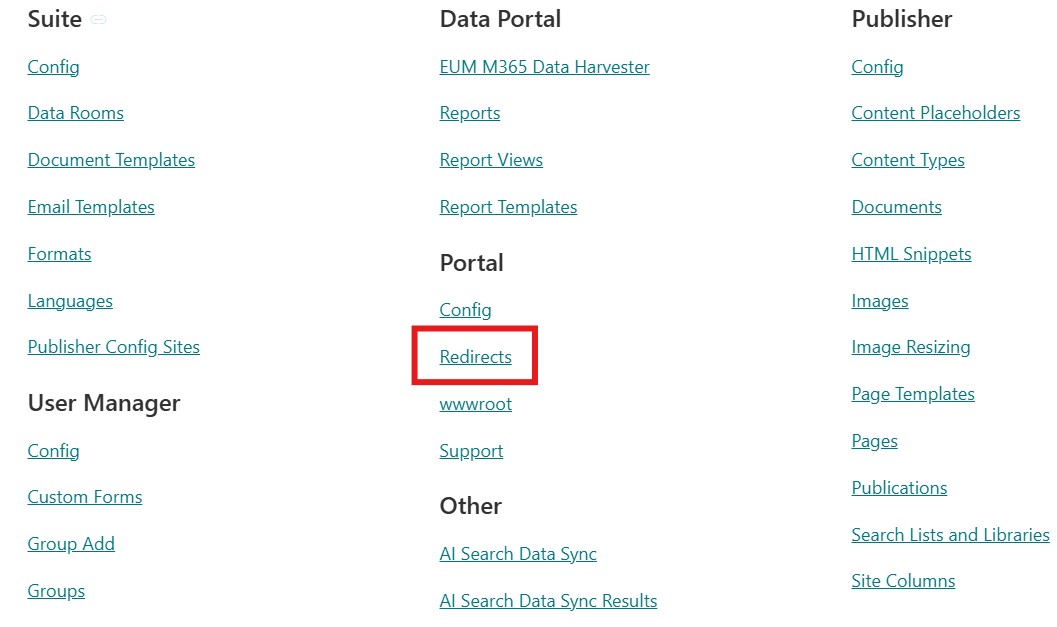
- Add values to the Original URL, Redirect URL, and Redirect Type
- Original URL would be, in this case add-a-redirect-url-to-eum
- Redirect URL would be in this case /add-redirect
- Redirect Type can be Permanant 301 or Temporary 302, depending on the situation
- Email us to helpdesk@envisionit.com asking us to restart the EUM website for the Redirect to take effect.