Requirements if EUM is storing users in Active Directory
If you are storing the extranet users in Active Directory, then there are 2 accounts that need access to the Extranet Active Directory.
- The App Pool Identity for the Landing/LandingAdmin sites
- The NetworkService account that Identity Server runs under.
Or if you wish to specify a username for the LDAP connection, during installation, then only that specific account will need delegated access in Active Directory.
A specific OU or CN should be created in Active Directory to hold the managed users and groups.
“EumUsers” is recommended, if you don’t have a specific name that is better.
It is best to have the security delegated before starting the installation.
Delegate Access in Active Directory
There are 2 accounts that need access,
- The Identity for the Landing/LandingAdmin sites
- The NetworkService account that Identity Server runs under.
If you specify a username for the LDAP connection, during installation, then only that account will need delegated access in Active Directory.
In "Active Directory Users and Computers" right click on the OU for Extranet users,
and select Delegate Access...
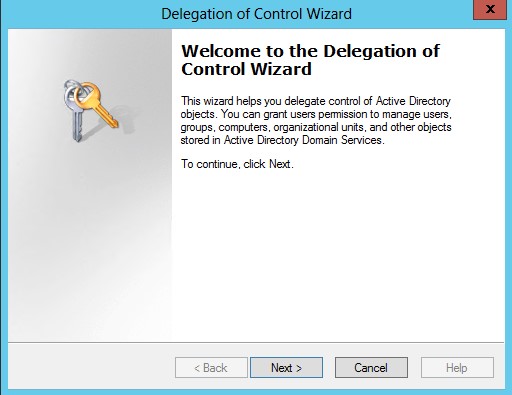
Next >, Add...
In the standard select users box, type in the username of the app pool, click check names, then ok if it matches. You can add both accounts before proceeding
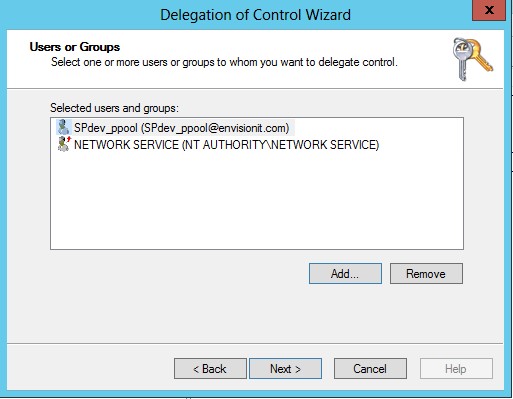
Next >
Check the top 5
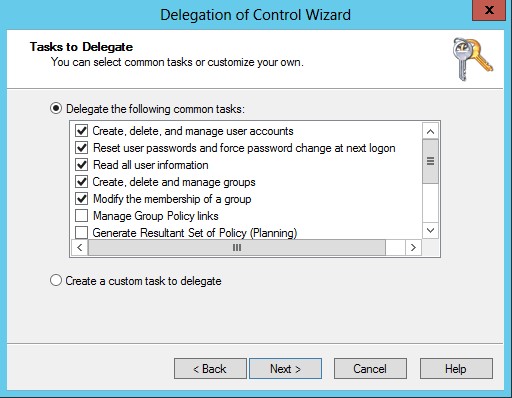
Next, Finish