Provide EUM Manager Access to a user
|
Published
A User having EUM Manager access can use EUM Admin to create and manage Guest Users, create and manage all EUM groups, even without having an elevated access in the Azure AD.
You can provide EUM Manager access so a user by the following steps:
- Login to EUM Admin site using Global Admin Credentials
- Click "Search Groups" in left hand Menu, and lookout for "EUM Manager" group
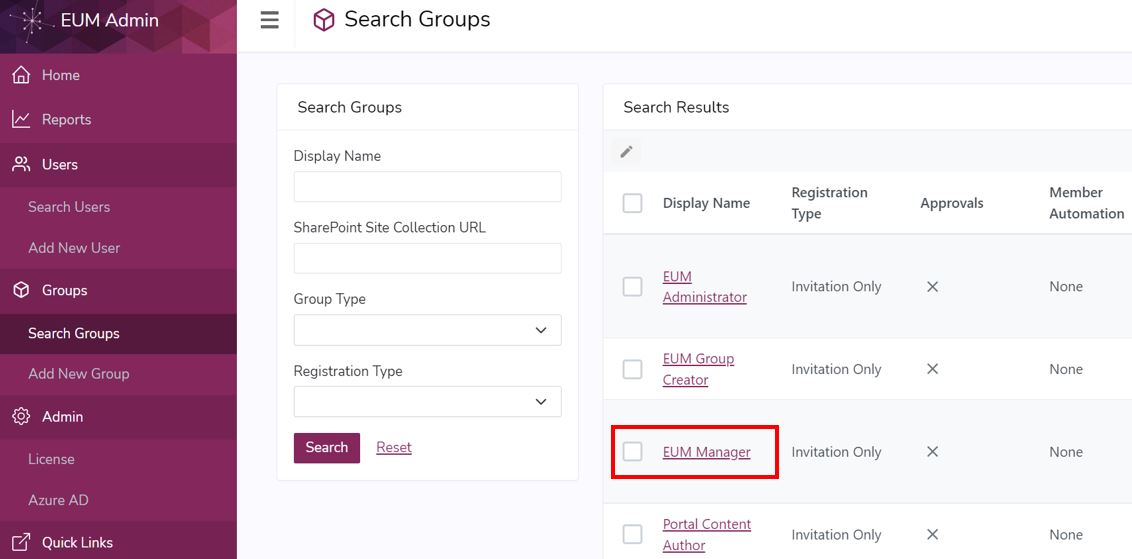
- Click the "EUM Manager" group to access the Group Details page
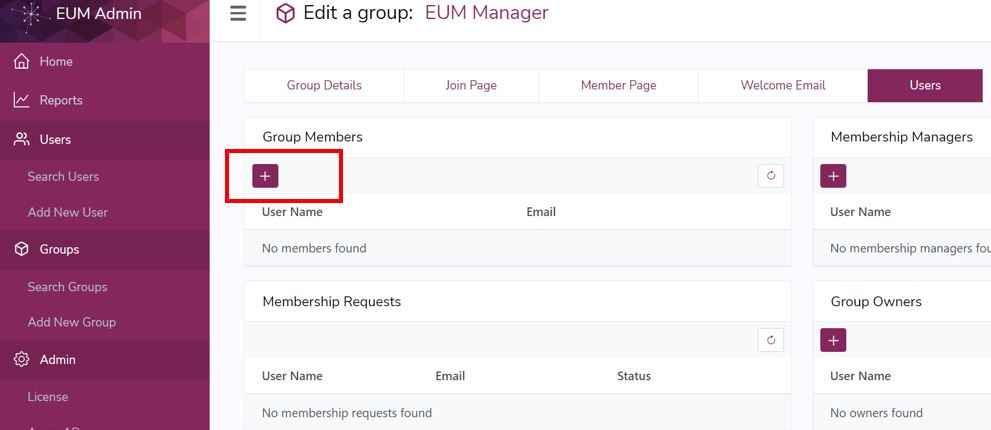
- Go to the Users tab in the Group Details page
- Click the + button within the "Group Members" section
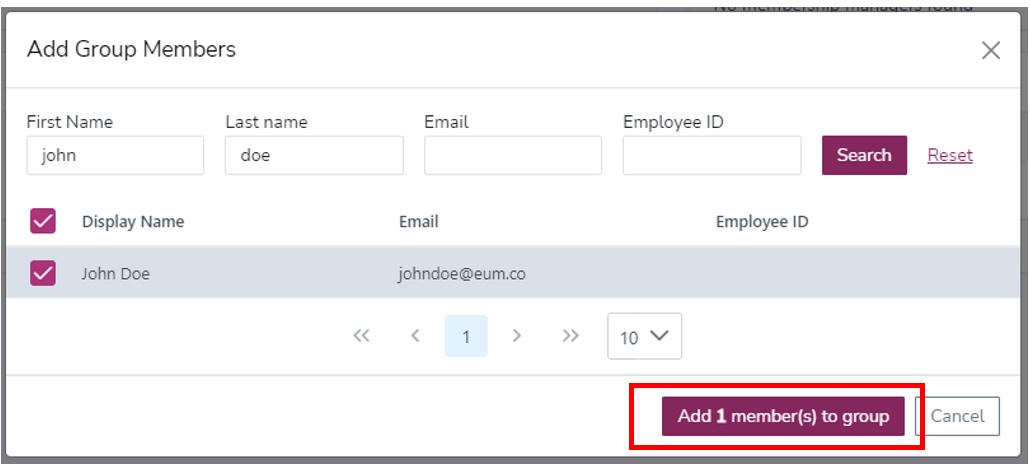
- This will open a User Search Window. Search for the user you want to give EUM Administrator access, and add the user as a member to the Group
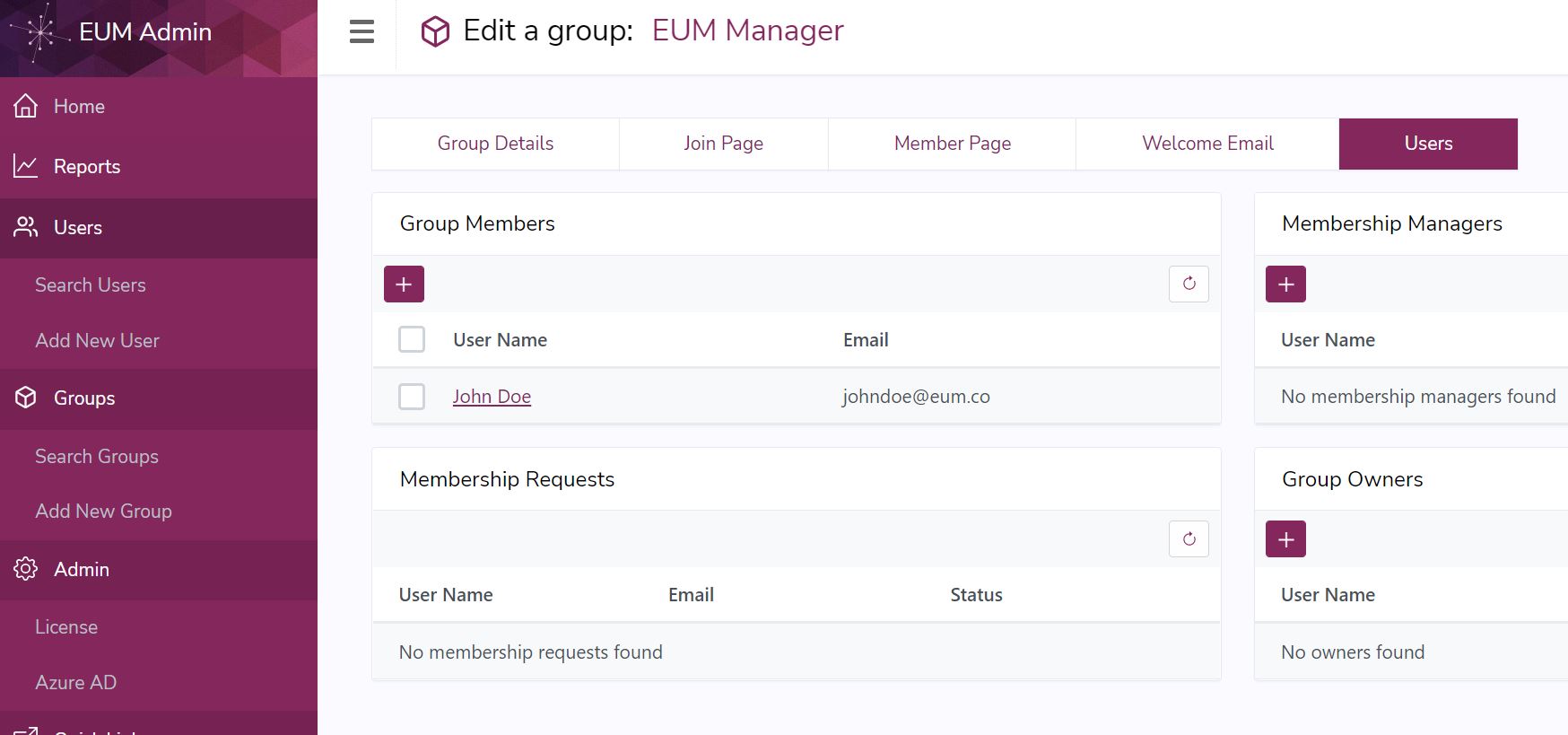
- The user would be seen added to the EUM Manager group as a Member
- When the user logs in to EUM Admin, all the features of EUM Admin will be available for the user
- The EUM Manager group member would also have access to the EUM Config site