Pre-Requisites for SMS Authentication Setup
|
Published
For us to do the deployment of the SMS feature, we would need some pre-requisites to be completed.
- Create a subdomain you would like the users receiving SMS to be registered with. An example would be: user@sms.mydomain.com, where sms is the subdomain.
- Note: If the root domain is verified in your Azure AD, users will not be able to sign in.
- Create a Twilio Account, buy a phone number, and get the Phone Number, Account SID, and Auth Token ready.
- Create a SendGrid Account and Authenticate your subdomain.
Twilio
- Create an account with Twilio.
- You may need to select SMS as a service.
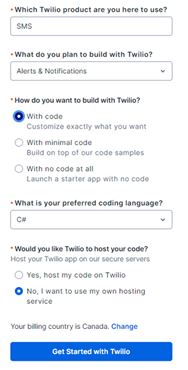
- Purchase a Twilio phone number capable of sending SMS.
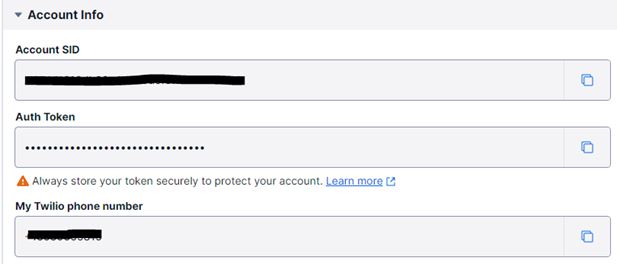
- Keep a note of the Phone Number, Account SID, and Auth Token for use later.
SendGrid
- Create an account with SendGrid.
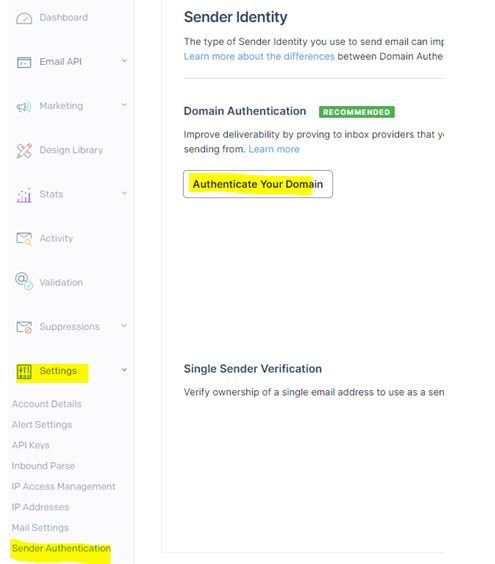
- Authenticate your subdomain on the Sender Authentication page. This will need some DNS entries including CName, TXT, and MX Records.
- Assign the MX record a priority of 10, and point it to the address: mx.sendgrid.net. If there is no field for priority, type 10 before the address. e.g. 10 mx.sendgrid.net. Please refer to the SendGrid article.
We would need the following information from you:
- Please let us know the subdomain you would like the users receiving SMS to be registered with. An example would be user@sms.mydomain.com, where sms is the subdomain. Email sent to any address in the receiving domain or subdomain will trigger the SMS One-Time Passcode process.
- What action would you want EUM to take if it faces an error while processing, say, due to a missing mobile number or missing user?
Note: New user creation or user registration will need to capture the mobile number of the user for the SMS authentication to work.
What is a subdomain? Please refer to this article: What is a subdomain
How do I find my domain host? Please refer to this article: Finding your domain host