Import Users as "Imported Pending Approval"
|
Published
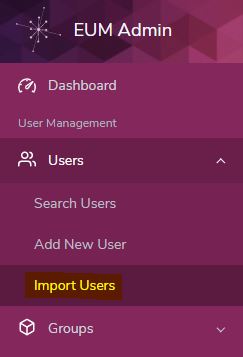
Login to EUM Admin and click Import Users tile to navigate to the Import Users page
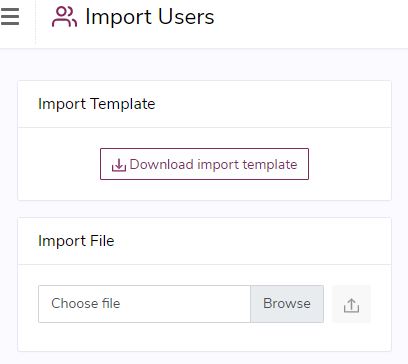
Download the Import Template by clicking Download Import Template in the Import Users page
In the Import Template, the following columns need to be filled in as a bare minimum: UserStatus_FK, FirstName, LastName, Email.
*Warning if the fields above are not filled in the template, then Import Users will fail*
In this case put in I in UsersStatus_FK column. I is the code for Imported Pending Approval

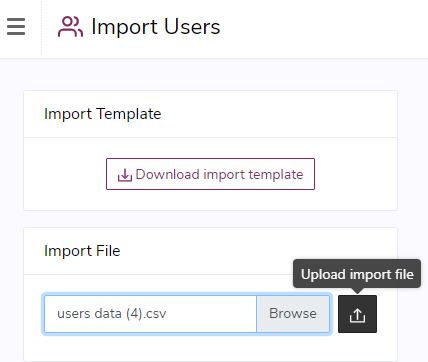
Click Browse in the Import Users page and browse for the file just saved. Then click Load Import File.
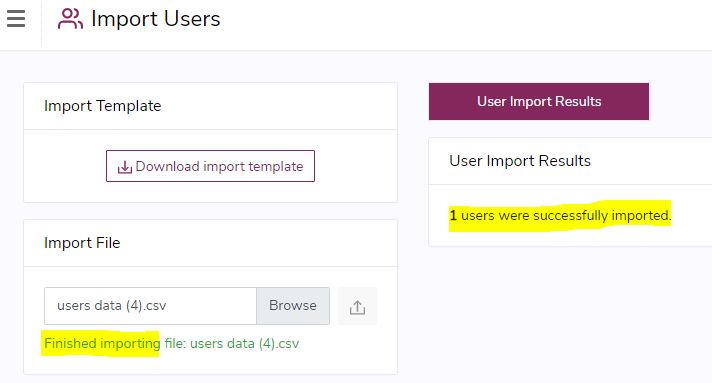
The users would be imported and a success message would be displayed to confirm that.