How to Determine Installed EUM V4 Version
|
Published
The version of the installed EUM can be found by someone having access to the server where EUM is hosted.
You can do this by going to the Extranet_API_V4 Bin folder located at:
On Premises
- C:\inetpub\wwwroot\YourEUMInstall\Extranet_API_V4\bin.
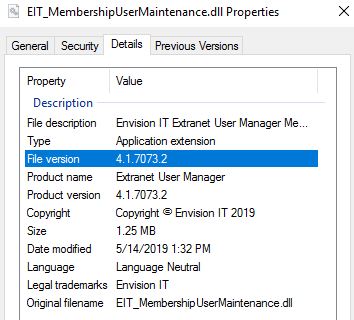
- Right-click on the EIT_MembershipUserMaintenance.dll and open up the dlls properties. Click the Details tab and note the File Version.
EUM Installed as App Service
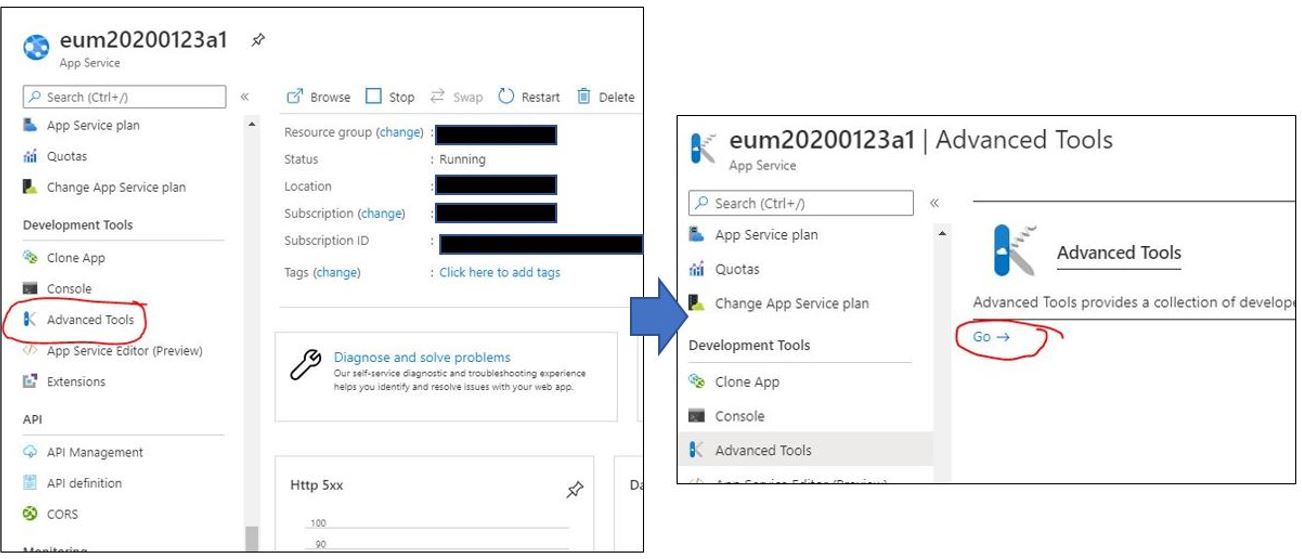
- Login to portal.azure.com.
- Navigate to Advanced Tools.
- Click Go, and select CMD from the dropdown.
- Navigate to site\wwwroot\Extranet_API_V4\bin.
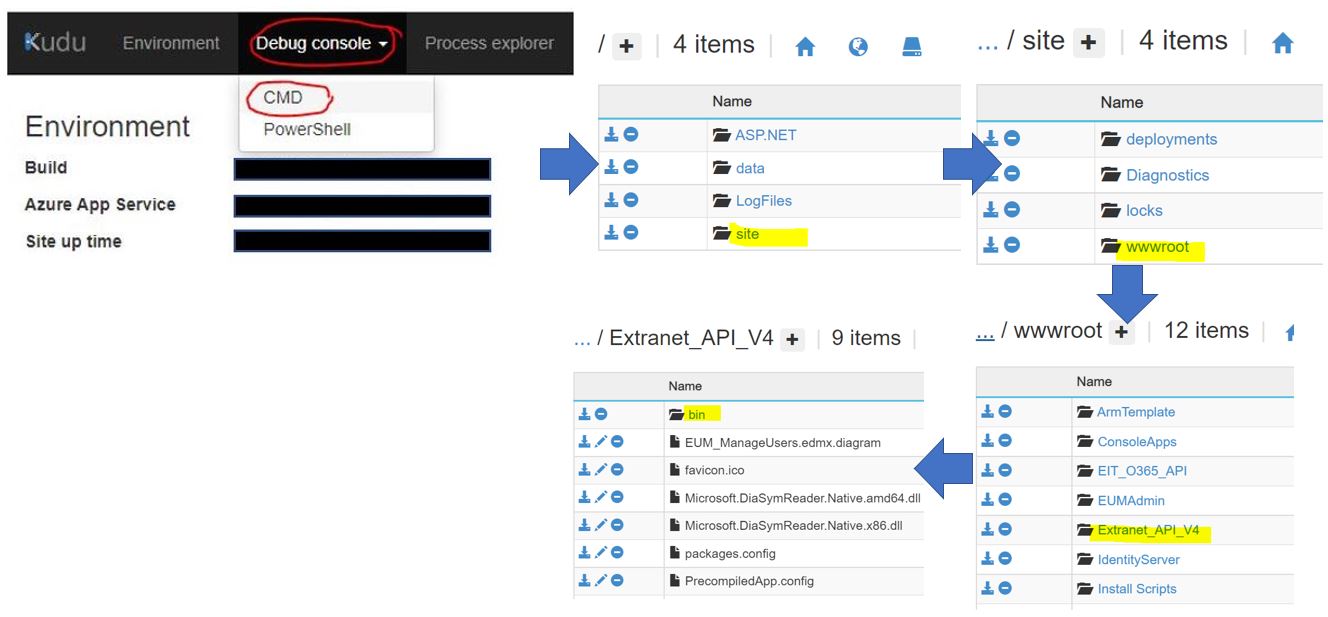
Download the EIT_MembershipUserMaintenance.dll and open up the dlls properties. Click the Details tab and note the File Version.