How to clear logs in EUM hosted as Azure App Service
|
Published
How to Access the Log files
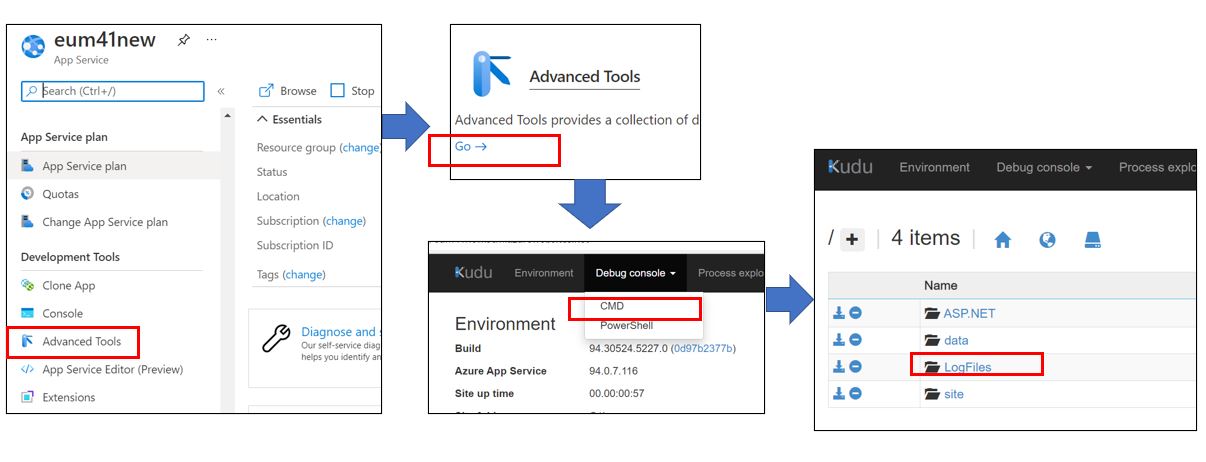
- Login to https://portal.azure.com and visit the EUM app service.
- In the left hand menu click Advanced Tools
- Click Go
- This opens a new tab in the browser
- Expand Debug console in the top menu and and click CMD
- Click LogFiles
How to Delete the Log Files
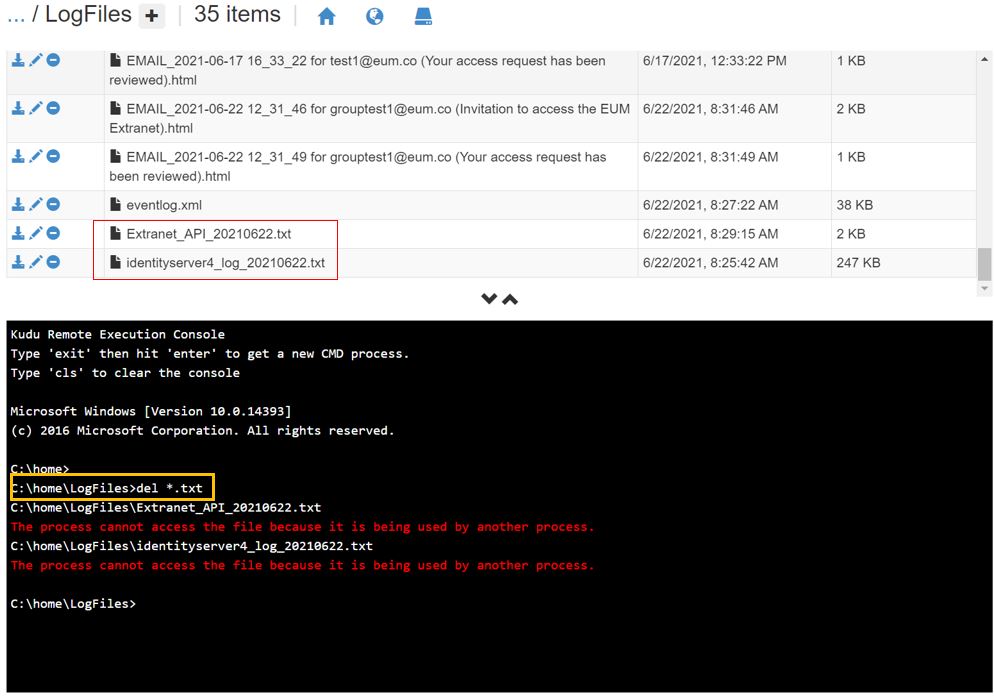
The EUM logs in App Service are .txt files. Please type
del *.txt
in the command area of the Kudu window displaying logs to delete all .txt files.
In the below example all the logs were deleted, with exception of the the Identityserver log and the Extranet API log for the current date because these files were being then written by EUM.