Finding the EUM Config SharePoint Site
|
Published
There are a couple of ways to find the EUM Config SharePoint site:
From EUM Admin
This is the easiest way to reach the EUM Config site provided one is either an EUM Manager or Global Admin.
- Login to EUM Admin and click the link under Admin called EUM Configuration Site.
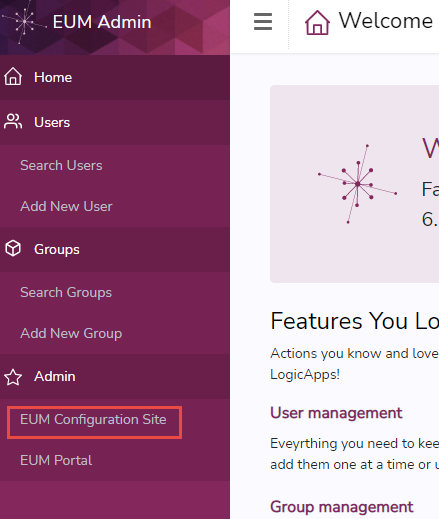
- This will load the EUM Config site.
From EUM App Service in Azure Portal
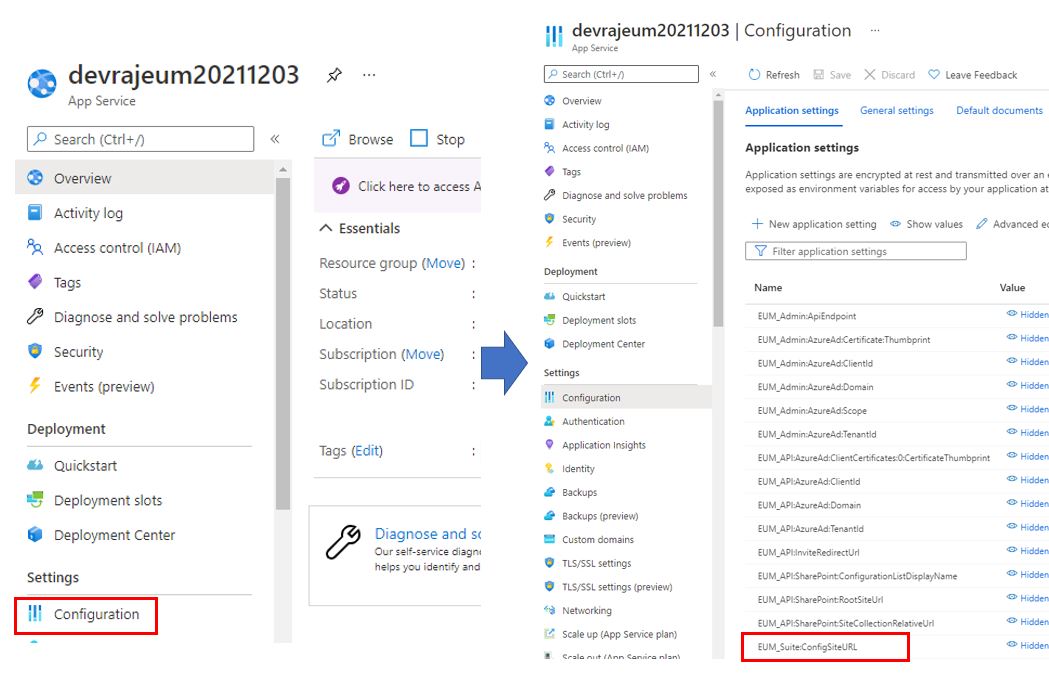
- Navigate to https://portal.azure.com and login with Admin credentials.
- Navigate to the EUM App Service.
- In the left-hand menu, click Configuration.
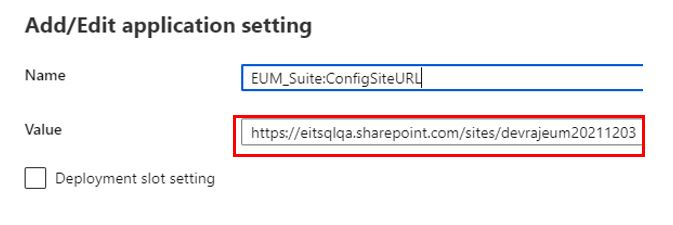
- On the page that opens, look for "EUM_Suite:ConfigSiteURL" and click to open the details.
- The details will have the EUM Config SharePoint site URL in the value field.