Find Client IPs blocked by EUM installed as Azure App Service due to IP restrictions put in place
|
Published
Though this process is discussed for EUM, this holds true for any Azure App Service in general.
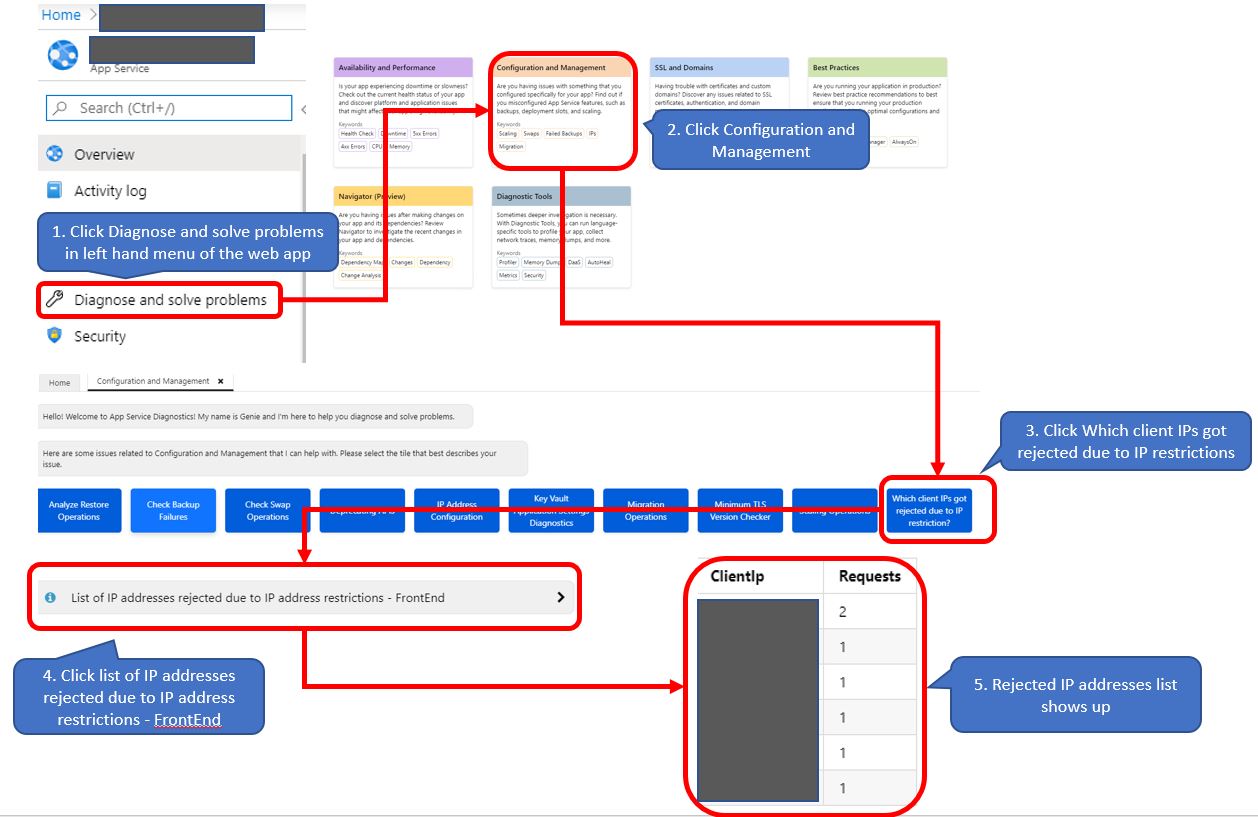
- Go to the Azure App Service and in the left hand menu click Diagnose and Solve problems
- Select Configuration and Management
- Click "Which client IPs got rejected due to IP restrictions?"
- Click the "List of IP addresses rejected due to IP address restrictions - FrontEnd"
- The list of rejected IP addresses would be shown in the resulting page