Export Users
|
Published
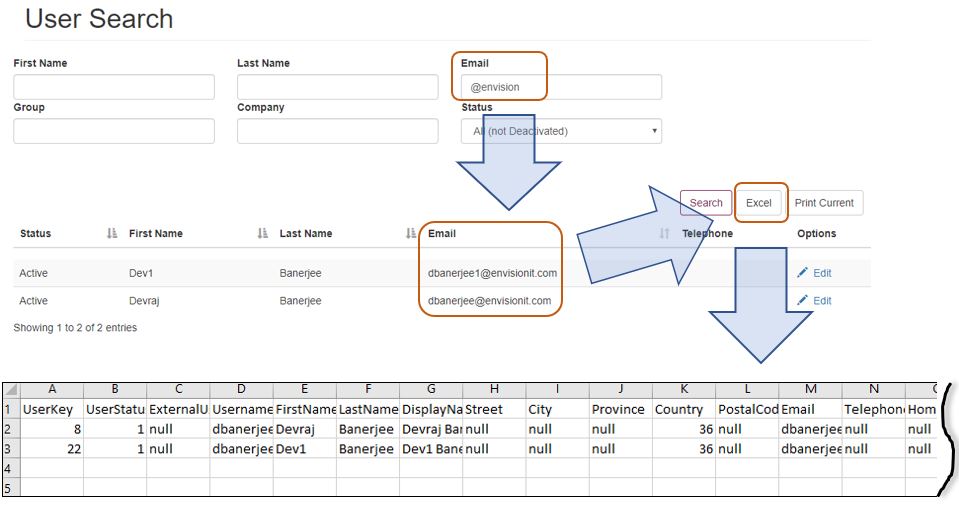
You can export a list of users to Excel. This can be helpful to perform other analysis, use the email addresses for sending emails to a large number of users or other uses. You may also print the list that is currently shown on the search page.
- Perform a user search in user-search.aspx page to display a list of desired users
- Click the Excel button. A file download dialog box appears
- Select a location to save the file, change the filename is desired, and click Save button
Note: The fields in the User Search allows to filter the search results. The exported Excel would contain only the filtered results is applied