EUM Member Admin
|
Published
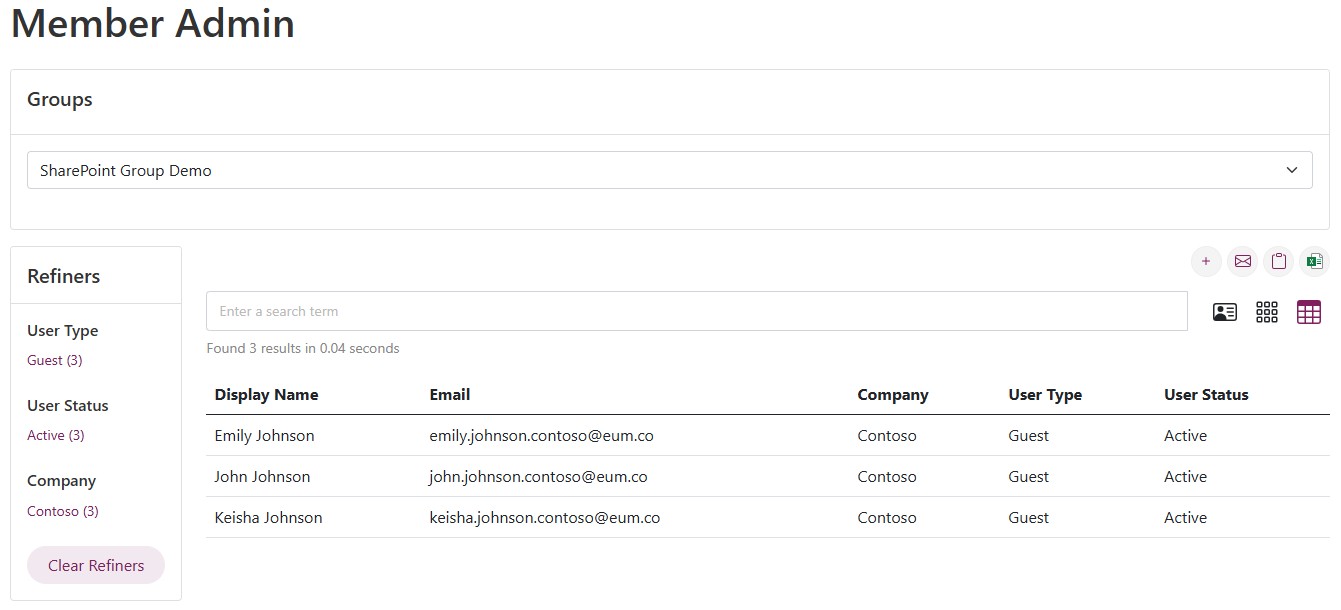
For EUM version 7.4 and above, the EUM Portal has Member Admin installed. This page allows EUM Administrators, EUM Managers, Group Owners and Group Membership Managers to manage groups from the EUM Portal itself, without having to login to EUM Admin.
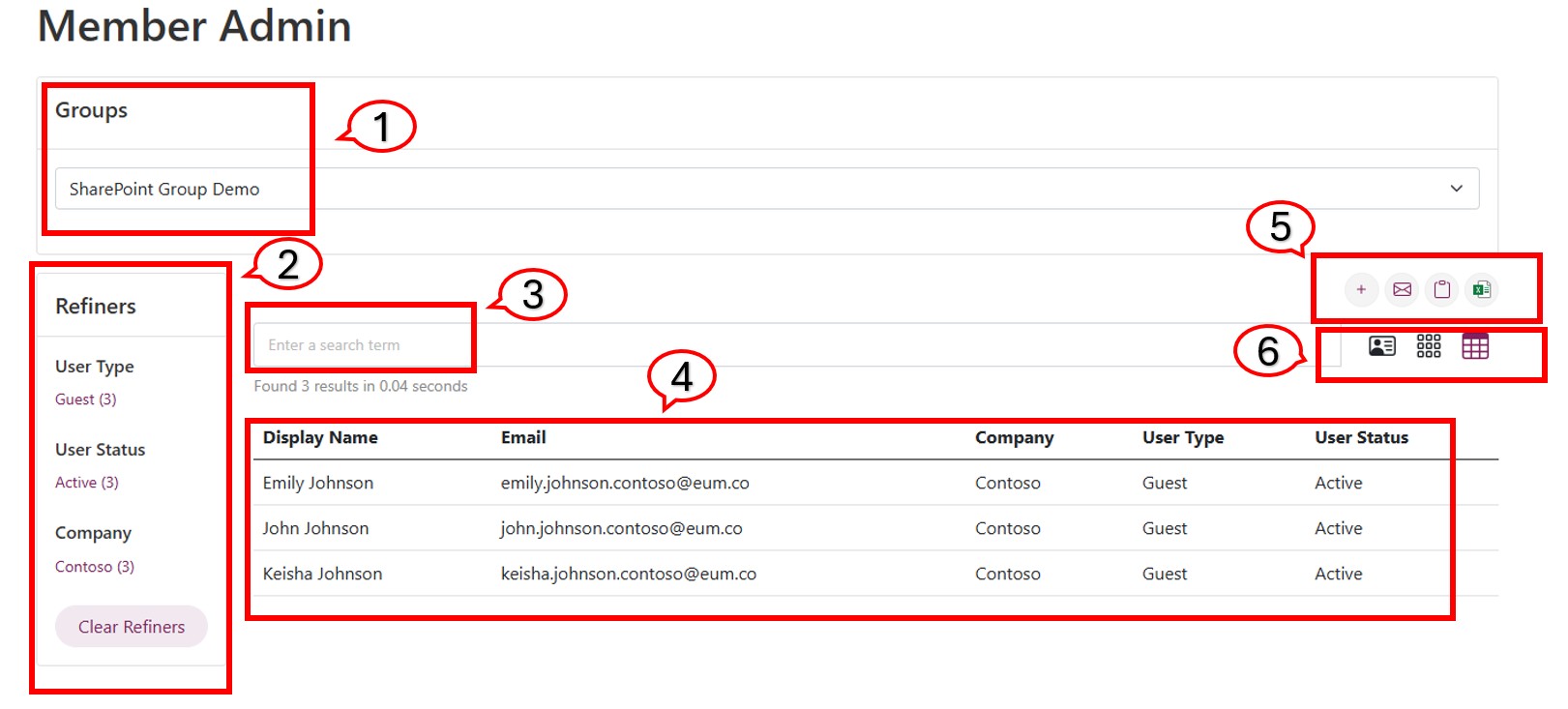
The various parts of Member Admin are:
- Groups selection dropdown list: This shows all the groups managed by you
- Refiners: These can be used to refine the members list to Guest or Member type of users, by Company, or by User Status.
- Group Member Search Box: If the group has numerous members, the search box can be used to search for members based on name, email domain, or company
- Group Member List: This shows all the members of the concerned group
- Manager Group Members: Here one can add new group members, send all of them an email, copy their email address, or download the members list in an excel.
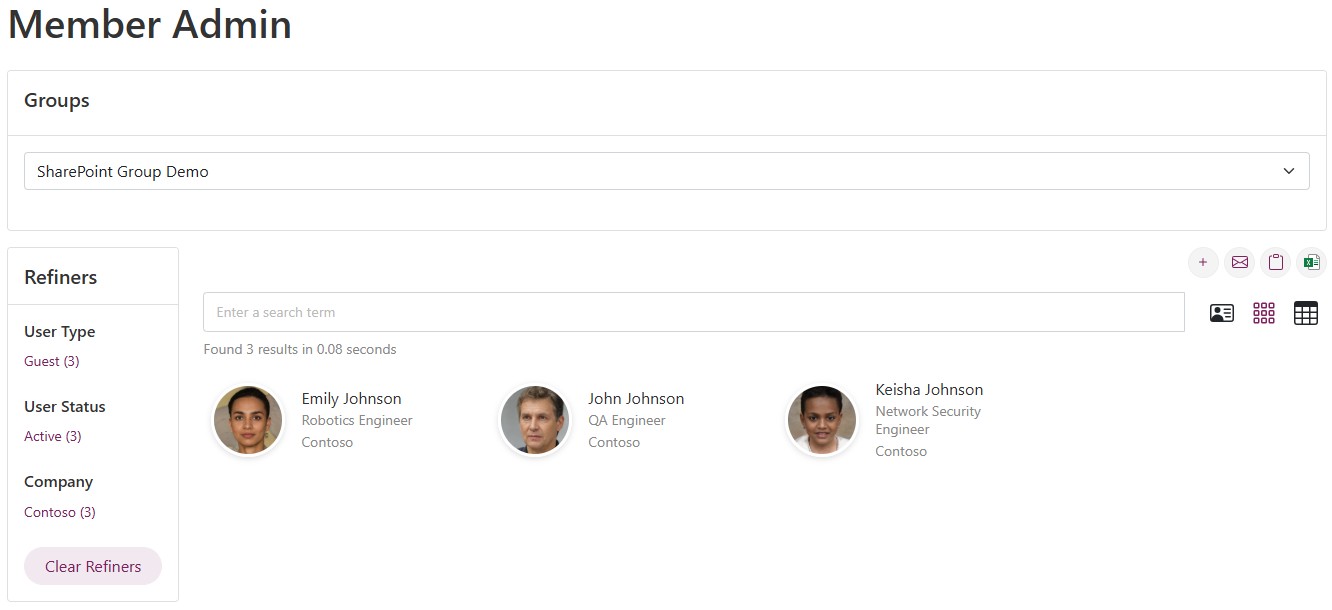
- Other views of Member Admin: Member Admin can be seen in many types of views.
Other Views of Member Admin
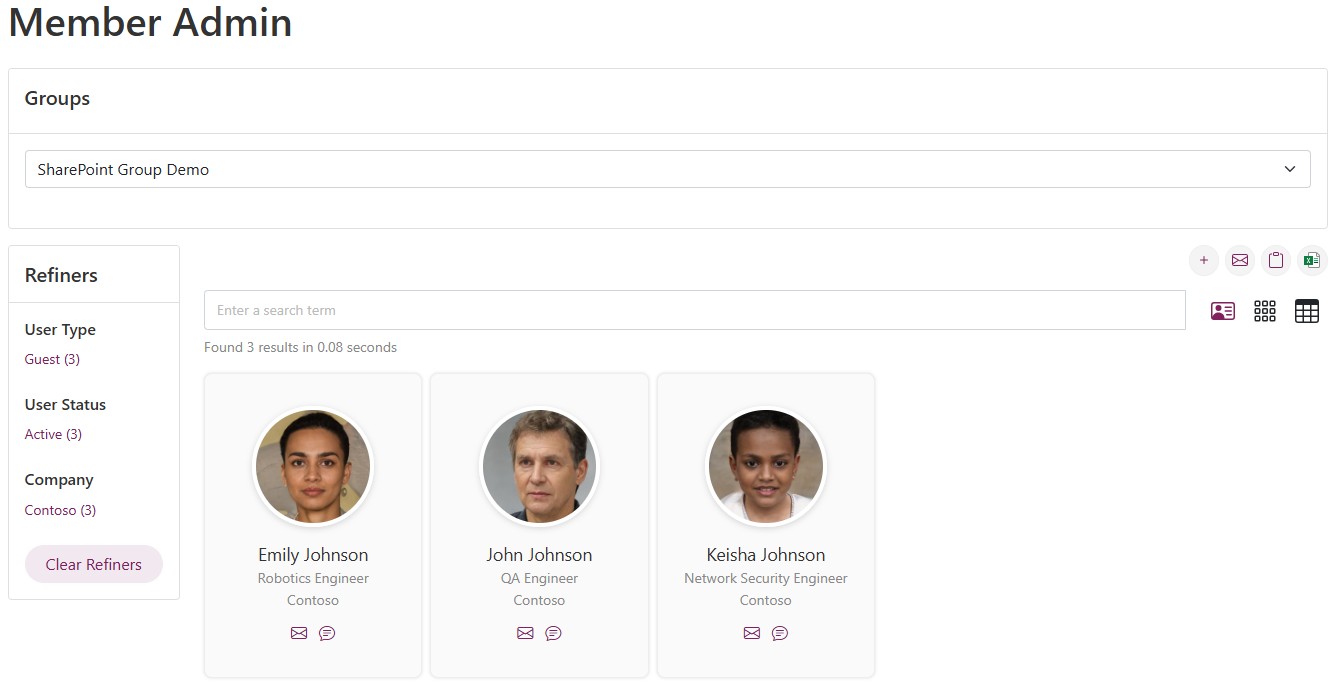
Card View
In this view the members of the group are shown as cards, including their profile details and pictures. However, email is not shown in the card view. Clicking each user reveals more information.
Grid View
In this view the members of the group are shown in a grid, and their pictures are shown. However, email is not shown in the card view. Clicking each user reveals more information.