Entra ID Review for EUM V7
Before EUM installation can start, we would need to review your Entra ID (Azure AD) to know if any changes are needed for EUM to work. This would also provide us the information needed to configure the EUM to work with your Entra ID. This article takes you through the Entra ID and SharePoint and guides you to review and prepare these for EUM. Alternatively, you can schedule a call with us.
What Is Your Entra ID Primary Domain?
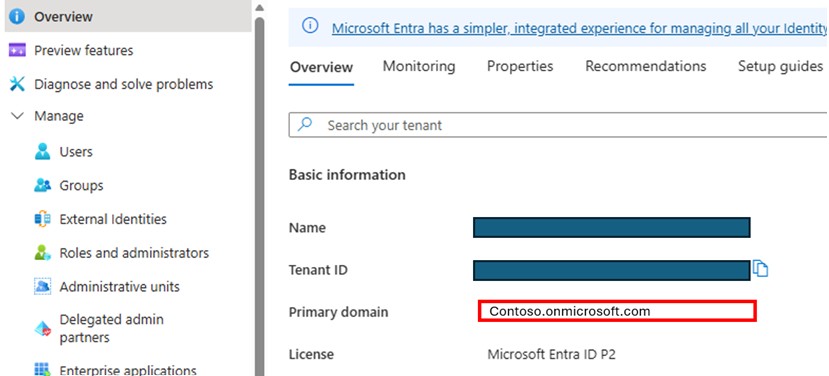
- Please log in to https://portal.azure.com as a Global Admin, and navigate to Microsoft Entra ID.
- On the Entra ID Overview page, you will see the Primary Domain name. Please share this with us.
What Entra ID License Do You Have?
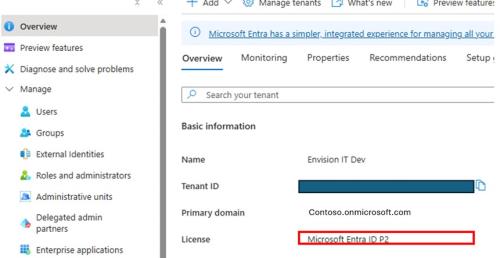
- Within the Entra ID Overview page, you will see the License type you have. Please let us know the license you have.
- We would need a P1 or a P2 license for EUM to be able to work.
Do You Have Any Conditional Access Policy?
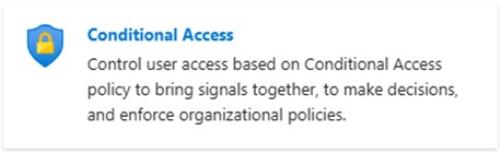
- If you have a P1 or above license, within the Entra ID Overview page, you will see a card for Conditional Access Policy. Please click that.
- On the Conditional Access Policy page, please click Policy in the left-hand menu.
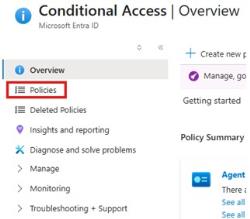
- If you have any policies in place, please let us know about these.
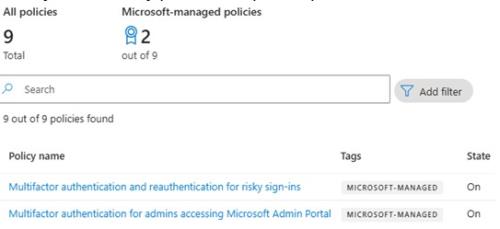
Do You Have Any Domain Restrictions?
- Go back to the Overview page of the Entra ID.
- Expand Manage in the left-hand menu.
- Click External Identities.
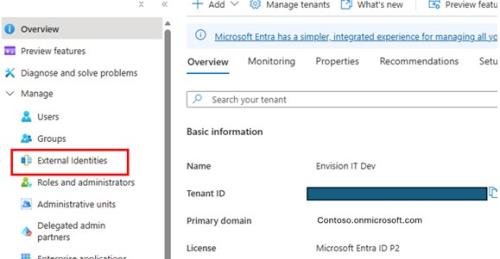
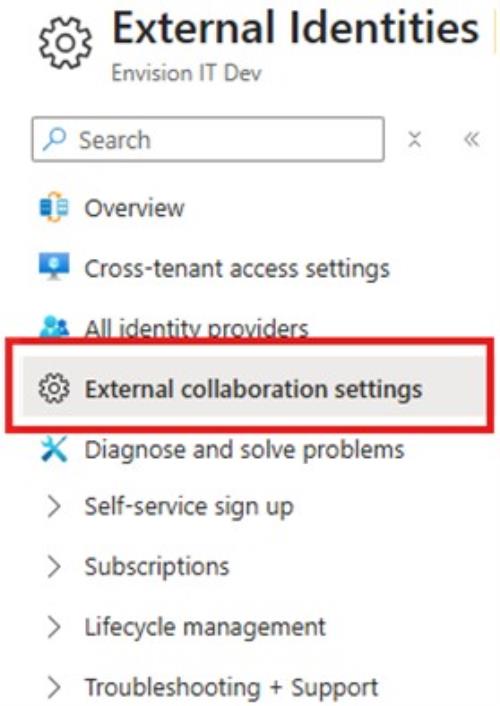
- Click External Collaboration Settings on the left-hand menu of the External Identities page.
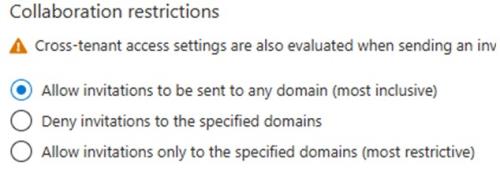
- Scroll down, and check if you have anything other than Allow invitations to be sent to any domain within the Collaboration Restrictions section, and let us know.
Is One-Time Passcode Turned On?
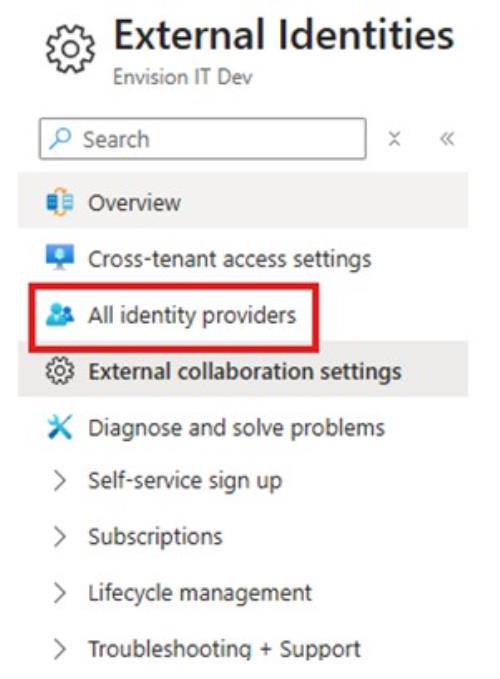
- Within External Identities, in the left-hand menu, click All Identity Providers.
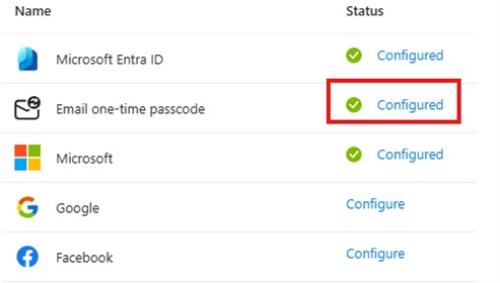
- Click Configured beside Email One-Time Passcode.
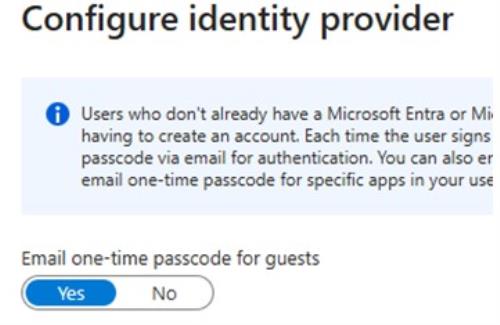
- Check the toggle is Yes in the pane that opens on the right side of the page. Please let us know if you see No.
What Is Your SharePoint URL?
We would need to know the root URL of your SharePoint site. The format would be https://<company name>.sharepoint.com. Alternatively, you can send us the URL of any SharePoint site from your tenant. We will use this information to decide the EUM Config Site URL. This will be a SharePoint site we will create in your tenant and will store the EUM configurations.
Outbound Email Address
For EUM to be able to send Email Notifications, you will need to set up a Member type of account in your Entra ID and give it an O365 Email license. This could be a Service Account, but not a shared mailbox, and should not have any elevated permissions. This is not a showstopper for EUM installation, but should be done before testings begin. Please let us know when you have this user created, and we will help you to set up the Office 365 API connection that EUM uses to connect with the account.
SharePoint API Connection
EUM uses an API Connection to connect to the EUM Config Site, which would be a SharePoint site in your tenant. This API connection needs to be authenticated with an account that would be a member type account in your tenant. This can be a service account, and should not have any elevated access. The same account used for the Office 365 API Connection, discussed in the above point, can be used for the SharePoint API Connection as well.
Custom Domains
EUM typically has two websites — EUM Admin and EUM Portal. Before Go Live, you would need two domains or subdomains for these websites. Examples: admin.contoso.com for the EUM Admin and portal.contoso.com for the EUM Portal.
Microsoft 365 Backup (only for EUM Upgrades)
This is only applicable when we are upgrading your EUM, and not for new EUM installations. To ensure a safe and reliable upgrade of your EUM, Microsoft 365 Backup is strongly recommended to be available within your Azure subscription. This would be applicable if we are upgrading your EUM to version 7.5 or higher.
Video Instructions
You can also refer to this video that explains the above instructions:
Schedule a Call
If you need help with the Entra ID Review, please schedule a call using Meet with Devraj Banerjee, and we will be happy to help.