Enable One Time Passcode (OTP) for Azure Active Directory (AAD)
|
Published
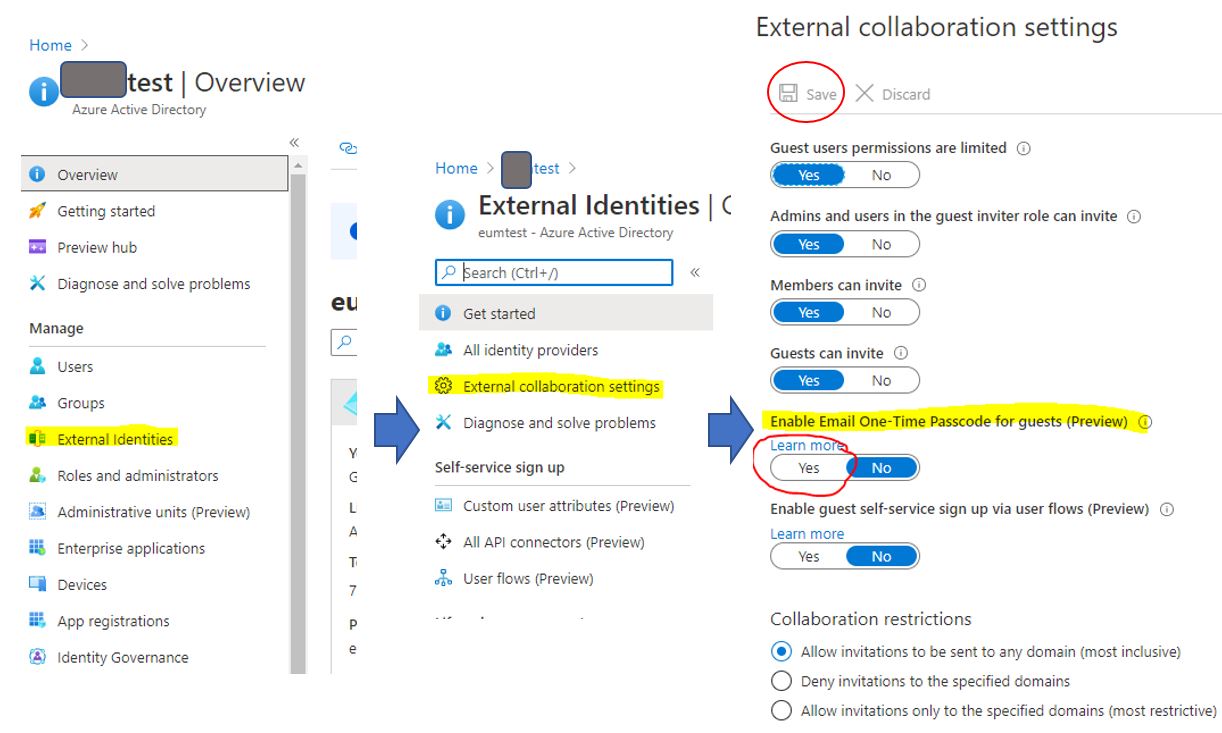
EUM when tied with AAD allows users to login to the SharePoint sites using the AAD provided One Time Passcode. Here is how to activate it:
- Login to Azure Active Directory portal with Admin access
- In the left menu of the Azure Active Directory click on External Identities
- Click on External collaboration settings
- In the Enable Email One-Time Passcode for guests, turn the toggle to Yes
- Click on Save