Enable Azure B2B Invitation Email
|
Published
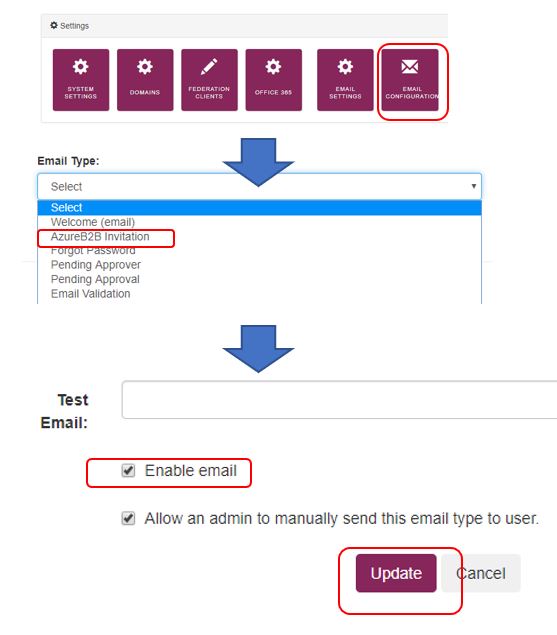
Login to EUM LandingAdmin as Edit Configuration User. Navigate to Email Configuration, select AzureB2B Invitation email. In the Email page that opens, check the Enable email checkbox and click Update.