Deleting EUM v4
|
Published
Deleting EUM 4 installed as Azure App Service
Login to https://portal.azure.com with Admin credentials
Delete the EUM Resources from the Resource Group
- Navigate to the Resource Group that has the EUM
- Delete the EUM Resources from the Resource Group
- Key vault for the EUM
- App Service for the EUM
- SQL Server for the EUM (as long as it has only the EUM's database)
- SQL Database for the EUM
- App Service Plan for the EUM (as long as it has only the EUM linked to it)
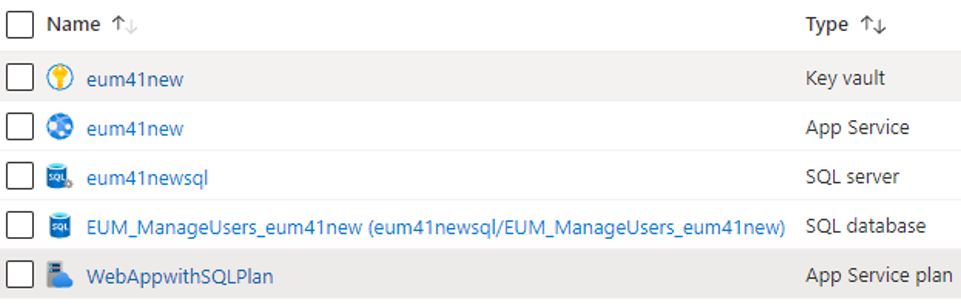
Note: If the Resource Group contains only the EUM resources delete the Resource Group itself instead of deleting the individual resources
If EUM is wired up with Azure AD, delete the related Apps
- Navigate to Azure AD
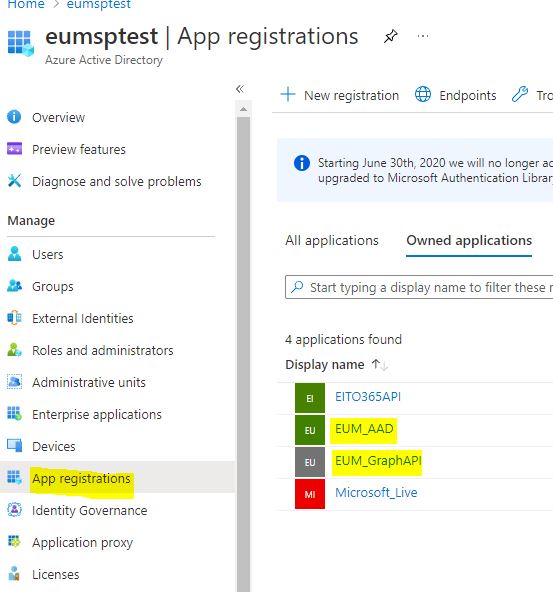
- In the left hand menu click App registrations
- Delete the two apps for EUM
- EUM_AAD
- EUM_GraphAPI
If the SharePoint Sites have EUM SPFx Webpart
- Navigate to Azure AD
- In the left hand menu click App registrations
- Delete the app for EUM Webpart
- EITO365API
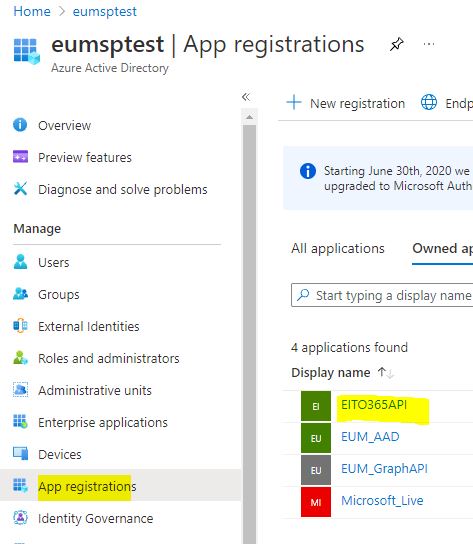
- EITO365API
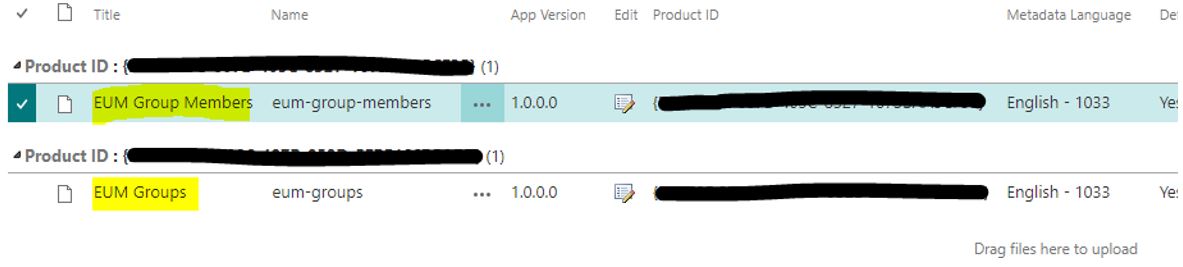
- Navigate to the App Catalog in SharePoint Admin :
https://<site name>.sharepoint.com/sites/appcatalog/AppCatalog/Forms/AllItems.aspx - Delete all the EUM related webparts from there
- EUM Group Members webpart
- EUM Groups webpart