Create a EUM Group for Committee
|
Published
When a EUM Committee Group is created, it creates a EUM Group, a Members page in the EUM Portal, and provisions a SharePoint Teams site. One can share documents, create meetings, and contact Group Members within a Committee.
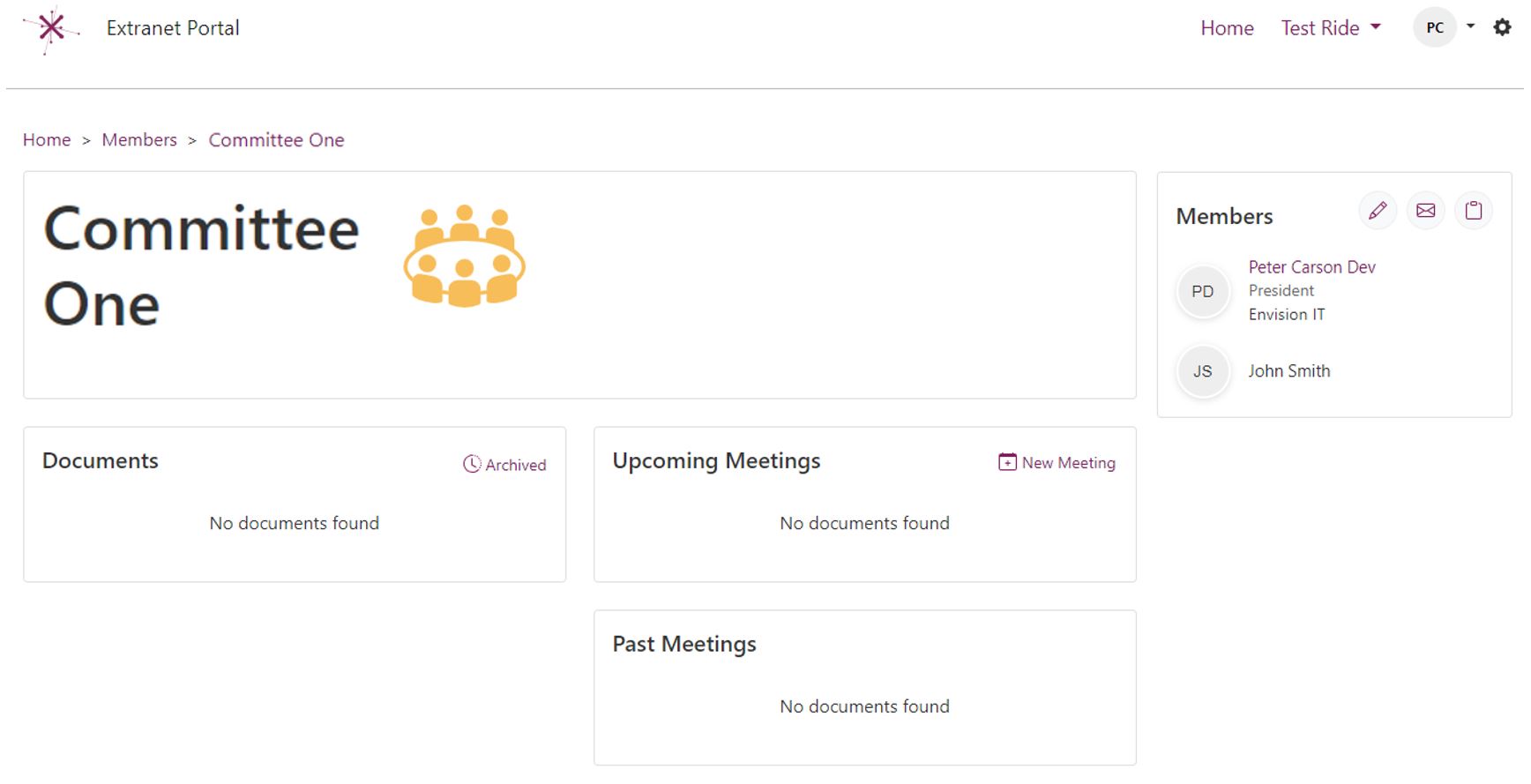
To create a EUM Committee Group, please follow the below steps:
- Login to EUM Admin as a Azure AD Global Admin / Azure AD Group Admin / Azure AD User Admin / EUM Manager / EUM Group Creator
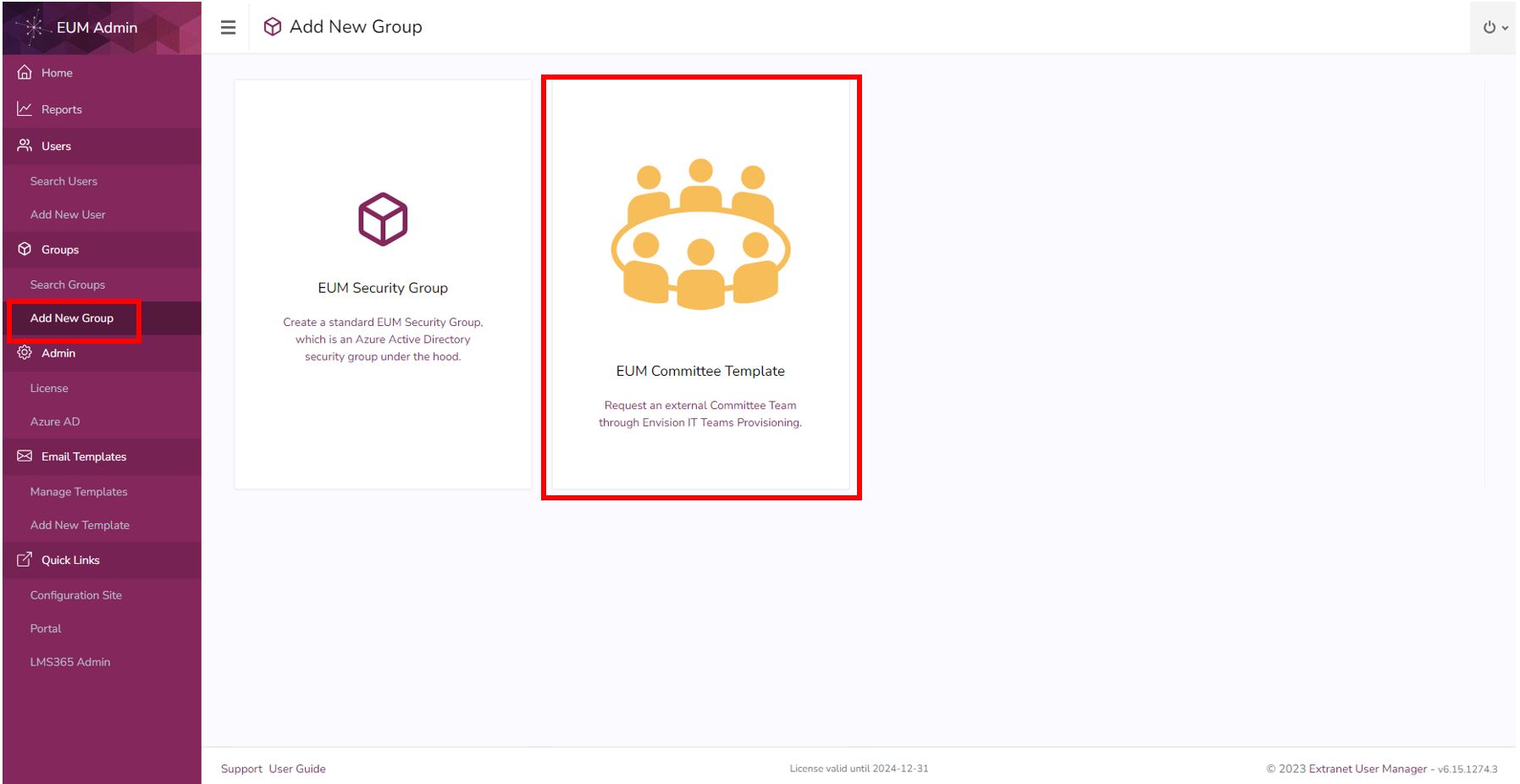
- Click Add New Group in the left hand menu
- Click the EUM Committee Template tile
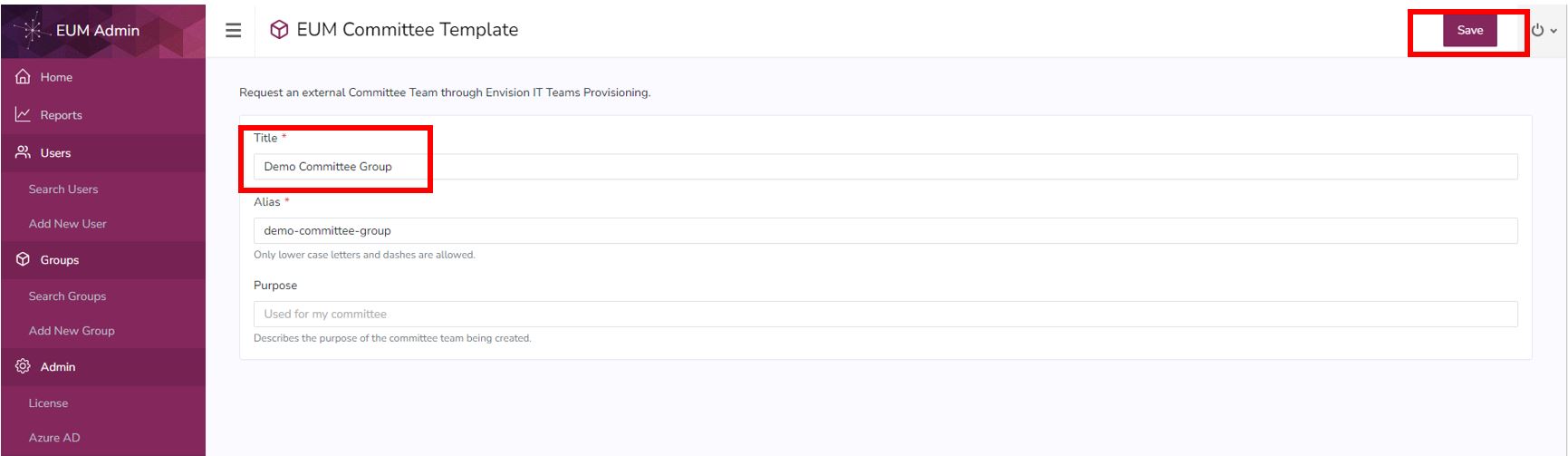
- Fill in the Title. The Alias would automatically be filled.
- Fill in the field Purpose, but this is optional.
- Click Save
- A success message will be displayed. The provisioning of the Member page, and SharePoint Teams site will start and should be available after a few minutes.