Configure EUM Group Approvals
Configure EUM Group to Require Approval for Joining but Auto Approve / Bypass / Skip Approval for Specific Domains
Users can join EUM Groups of type Public or Private without needing an invitation.
Private groups are not displayed in EUM Portal. Someone who has the link to the Join Page of the Private Group can click a button to join, without the help of an EUM Administrator.
Public Groups are displayed in EUM Portal. Anyone can join these groups by the click of a button, without the help of an EUM Administrator.
However, in some scenarios, as an EUM Administrator, you might want to control who joins the groups, but you also want the users to self register. This can be done by putting on the approval path for the Private or Public Groups. Whenever a user joins these groups, an Approval Email will be sent to the EUM Manager, Group Owner, or Group Membership Manager. However, you can also configure the groups to skip the approval process for certain domains.
Steps to Set Up the Auto Approval for Specific Domains
- Refer to the related FAQ article linked at the bottom of the page.
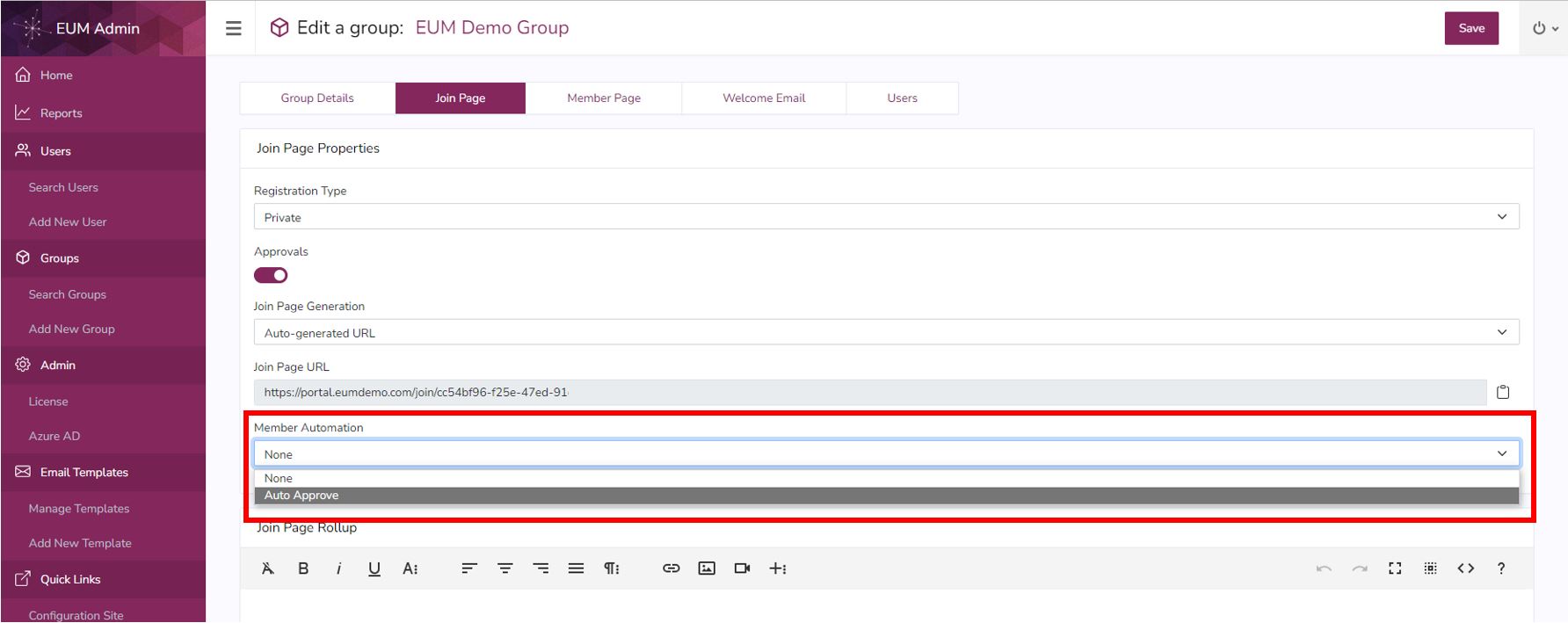
- Select Auto Approve for Member Automation.
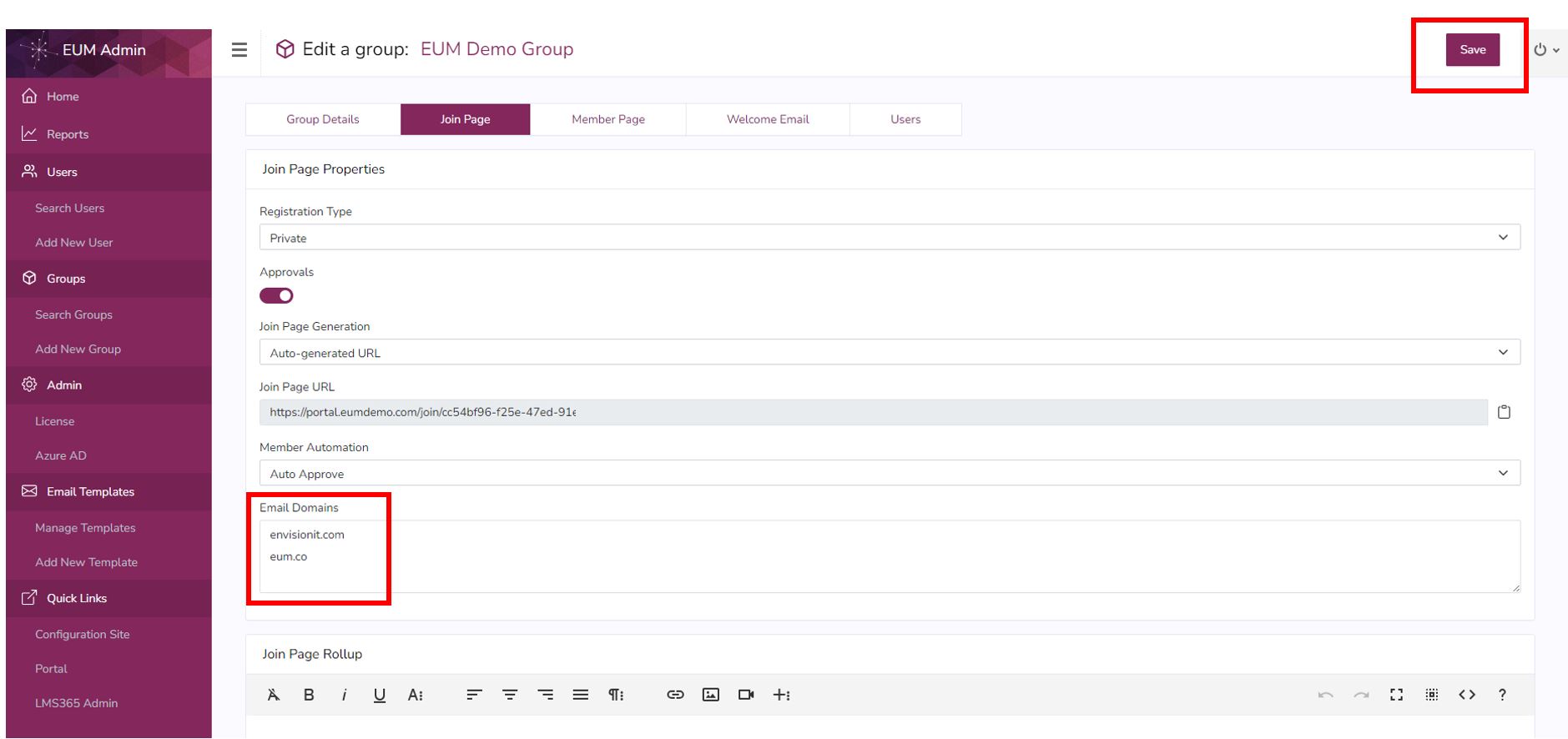
- The Email Domains field will now be displayed. Type in the domains to be auto-approved on separate lines, as shown in the image. Click Save.