Collect Password in the same page as Email for Login
|
Published
Note - This is valid for EUM V5 and below
From EUM 4.1.7059.3 onward, while logging in the password is collected in a separate page.
- EUM collects the email and if the email is registered then password is collected in a separate page
- If email is not registered the the user is taken to the Self Registration page
This article, hence, will not be helpful if
- EUM version is before 4.1.7059.3
- Self Registration is required
Changes to be done to collect the password in the same page as email while logging in:
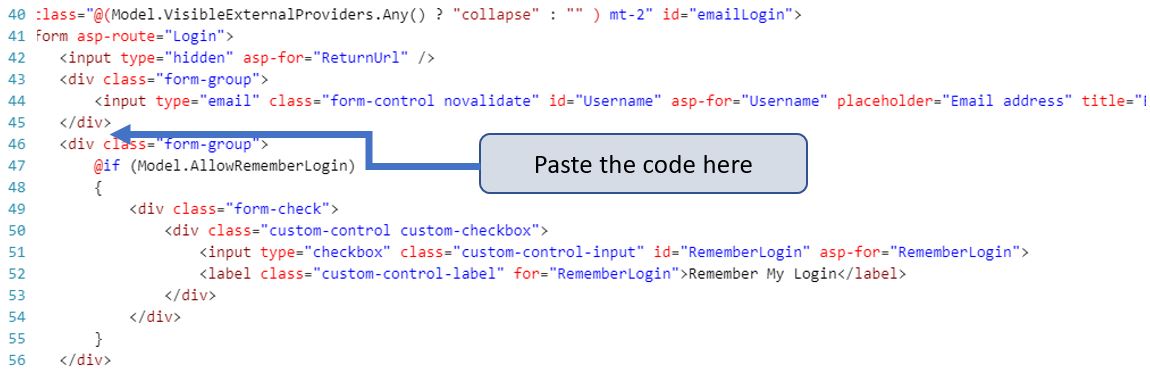
In IdentityServer/Views/Account/Login.cshtml page, right below the div which wraps around the email or username field, the following can to be pasted:
<div class="form-group">
<input id="Password" type="password" class="form-control novalidate" placeholder="Password" title="Enter your password" asp-for="Password" required>
</div>