Automatically Add New Users to a Group in EUM V4
Changes can be made in EUM so that when new users are created by Admin or self registration, they are automatically added to a group.
Here, for example, we have a group called "Public Group", and we want all the new users created by Add User feature or Self Registration feature to be put into that group automatically.
To perform these changes you will need access to:
- EUM Landing Admin with at least Group Editor rights
- If EUM is hosted on premises, then access to the server where EUM is hosted
- If EUM is hosted as Azure App Service then admin access to the app service in https://portal.azure.com
EUM 4.1
Please logon to EUM with a minimum of Group Editor access and navigate to the Group Details page in Landing Admin.
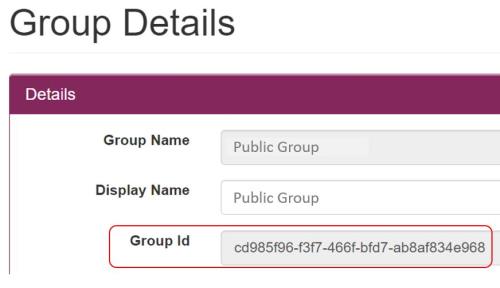
Note the Group Id of the group where you want to put the users. This can be found in the Group Details page of the concerned group. In this example the Group Id is cd985f96-f3f7-466f-bfd7-ab8af834e968.
Access the files
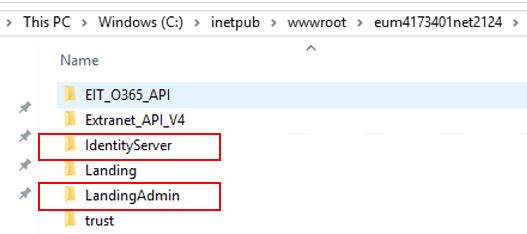
EUM installed on premises: Login to the server EUM is currently installed on and go to the source files of the EUM install, typically in C:\inetpub\wwwroot. Progress through your EUM site folder into the folders mentioned below.
EUM installed as Azure App Service: Progress to https://portal.azure.com and login with credentials to the Azure subscription that is hosting EUM as an App Service. Open up the EUM app service settings and launch the App Service Editor (Preview).
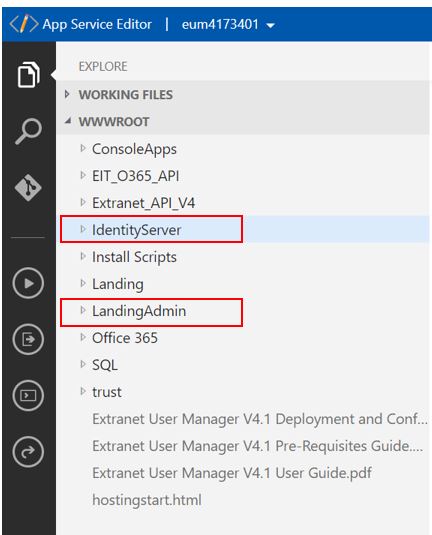
Progress through the App Service Editor menu into the folders mentioned below.
For Self Registration
In IdentityServer/Views/Account/Register.cshtml change line 18 by replacing @Html.Raw(Model.RegisterPrivateRole) with the Group Id of the "Public Group" group in EUM.
From:
<input type="hidden" id="RegisterPrivateRole" value="@Html.Raw(Model.RegisterPrivateRole)">
To:
<input type="hidden" id="RegisterPrivateRole" value="cd985f96-f3f7-466f-bfd7-ab8af834e968">
Save the file.
For Adding Users through Landing Admin
In LandingAdmin/eum/html/UserDetails.html after line 14 where it says:
<div class="row">
    <div class="col-md-6">
Add:
<input type="hidden" id="RegisterPrivateRole" value="cd985f96-f3f7-466f-bfd7-ab8af834e968">
In line 439 increment the value of v= by 1.
From:
<script src="./eum/js/user-details.js?v=1"></script>
To:
<script src="./eum/js/user-details.js?v=2"></script>
In LandingAdmin/eum/js/user-details.js
Add new lines after 150 where it says:
else {And before 151 where it says:
EUM.post('/Users', { data: postData }, function (userData) {
    var newUserKey = userData.UserKey;
    var url = $(location).attr("href") + "?UserKey=" + newUserKey;
    EUM.redirect(url);
});
Add these three lines:
var myRoles = [];
myRoles.push($('#RegisterPrivateRole').val());
postData.RegisterPrivateRoles = myRoles;
Save the file.