Add a Free Azure SSL Certificate in EUM V5 or V4 Installed as an App Service
|
Published
- Navigate to the App Service in https://portal.azure.com.
- Make sure the pricing plan is B1 for the App Service.
- A free SSL certificate can be added only for subdomains.
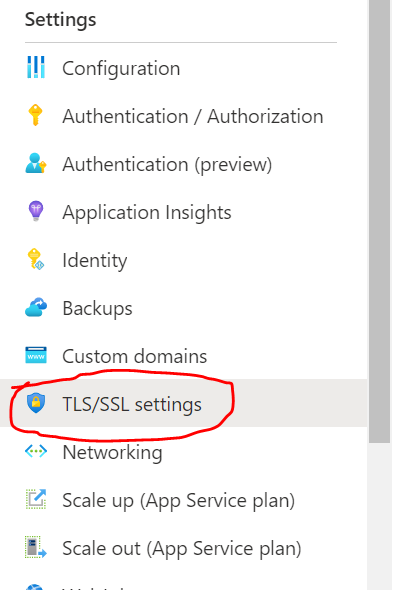
- To create an SSL certificate, go to TLS/SSL settings.
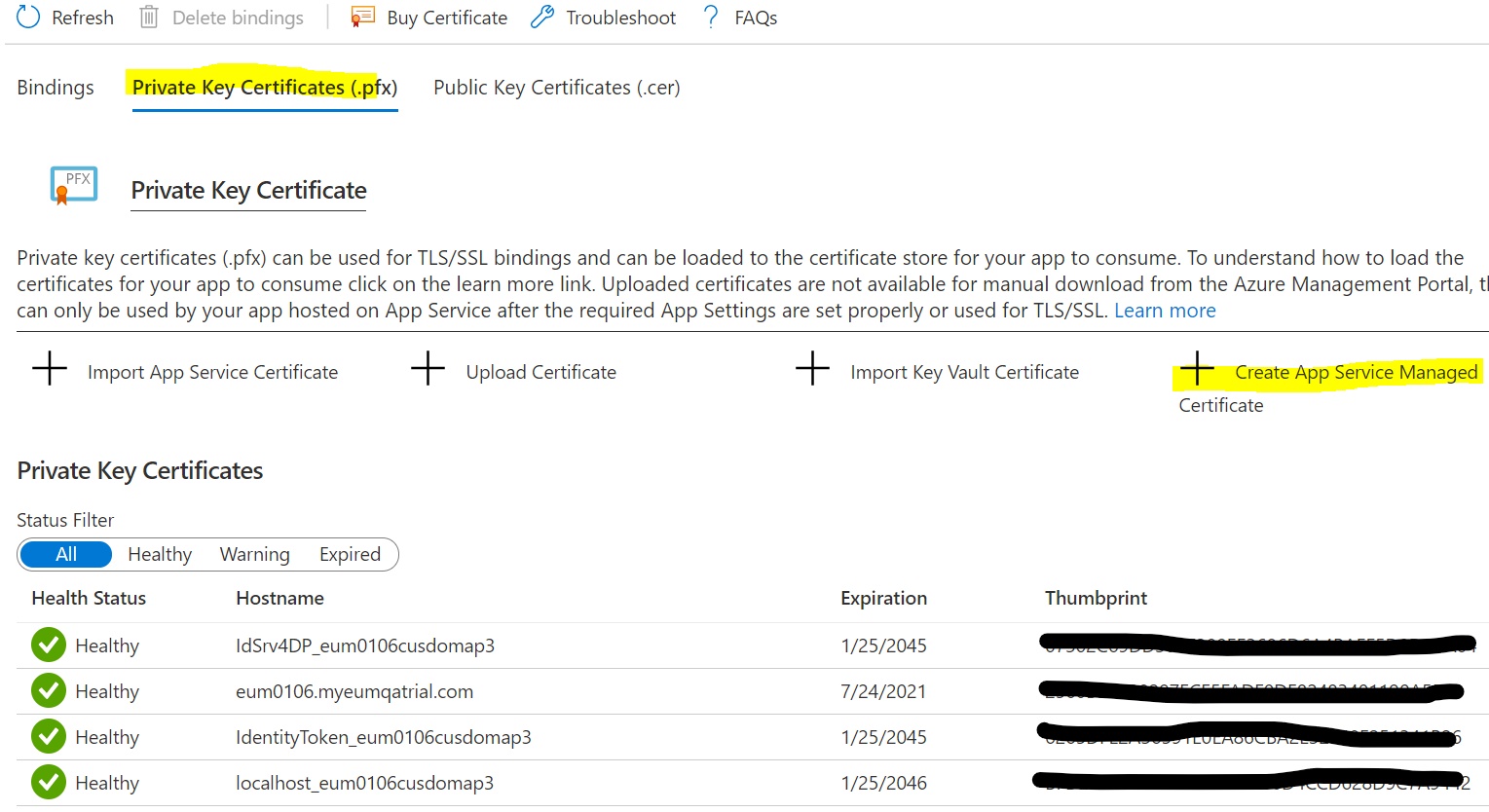
- Go to the Private Key Certificates tab and click Create App Service Managed Certificate.
- Fill out the form to create the free SSL certificate.
- Go back to the Custom Domains page and click Add Binding.
- Fill out the form to bind the Custom domain with the certificate.
For more info about these steps, please reference the FAQ article below.