From Static Site to Smart Search: How Smith + Andersen Modernized Its Intranet, Engineering Manuals, and People Directory
The Client
Smith + Andersen is a Canadian multidisciplinary consulting engineering firm established in Toronto in 1965. Over the years, the company has expanded to include 11 offices across five provinces and currently employs more than 700 professionals. They offer integrated design services in various fields, including mechanical, electrical, telecommunications, security, audiovisual, lighting, and building automation systems.
Supporting their work is a comprehensive library containing hundreds of thousands of specification documents, as well as a national network of owners, consultants, subcontractors, and vendors. Each project requires a unique combination of disciplines and partnerships, making it essential for the firm's engineers, project managers, and field staff to have quick and reliable access to the appropriate documents, colleagues, and companies at the right time.
The Challenge: A 2013-Era Intranet Holding Back a Modern Engineering Firm
For over ten years, Smith + Andersen relied on a SharePoint 2013 site called SAiD (Smith + Andersen Information Database). It was simple and reliable, but by 2024, the platform no longer aligned with how the firm actually worked. Four main problems had started to appear:
- Engineering manuals were buried in document libraries. The engineering manuals, the firm’s most important reference materials, are the lifeblood of how Smith + Andersen designs and delivers projects, yet they are stored as a wall of documents. Finding answers meant opening files one at a time and scanning them manually.
- No fast way to find people. With a national workforce and approximately seven or eight new hires each month, staff often recognized a coworker’s face or voice but struggled to locate them using the search function.
- User data was fragmented and out of sync. The firm's source of truth for staff records is an SQL-backed internal system that feeds several third-party tools. As people moved to the cloud, their Microsoft Entra ID records picked up incorrect departments, mistyped first names, and missing employee IDs because nothing kept Entra in sync with the source.
- A growing external contact problem. Engineering work requires constant collaboration with owners, builders, and subcontractors, yet that contact intelligence was stored in individual Outlook mailboxes. Every time someone left, a slice of that institutional memory walked out the door with them.
Starting with the ‘Art of the Possible’
Before any pages were developed, Envision IT conducted a Microsoft 365 discovery session with the leadership team at Smith + Andersen. During this session, the directors explored what could be achieved on the modern platform.
From that point, the goals became clear:
- Replace the SharePoint 2013 site with a modern, branded SharePoint Online experience.
- Transform the engineering manuals into structured, searchable, and navigable content rather than static files.
- Create a true People Search feature that integrates Entra ID with the firm's authoritative SQL data source.
- Ensure that 36,000 business contacts are searchable and accessible to every staff member who needs them.
"Here are the options. Here's what we think works best for you. That whole art-of-the-possible thing at the outset really helped, because once all the directors knew what was possible, they could say what they wanted to do. That education up front really helped accelerate things."
The Solution: A Modern Intranet, a Searchable Knowledge Base, and a Unified Directory
Smith + Andersen engaged Envision IT to deliver an end-to-end modernization, beginning with requirements gathering and information architecture work before any pages were built to ensure the solution really worked for the people using it.
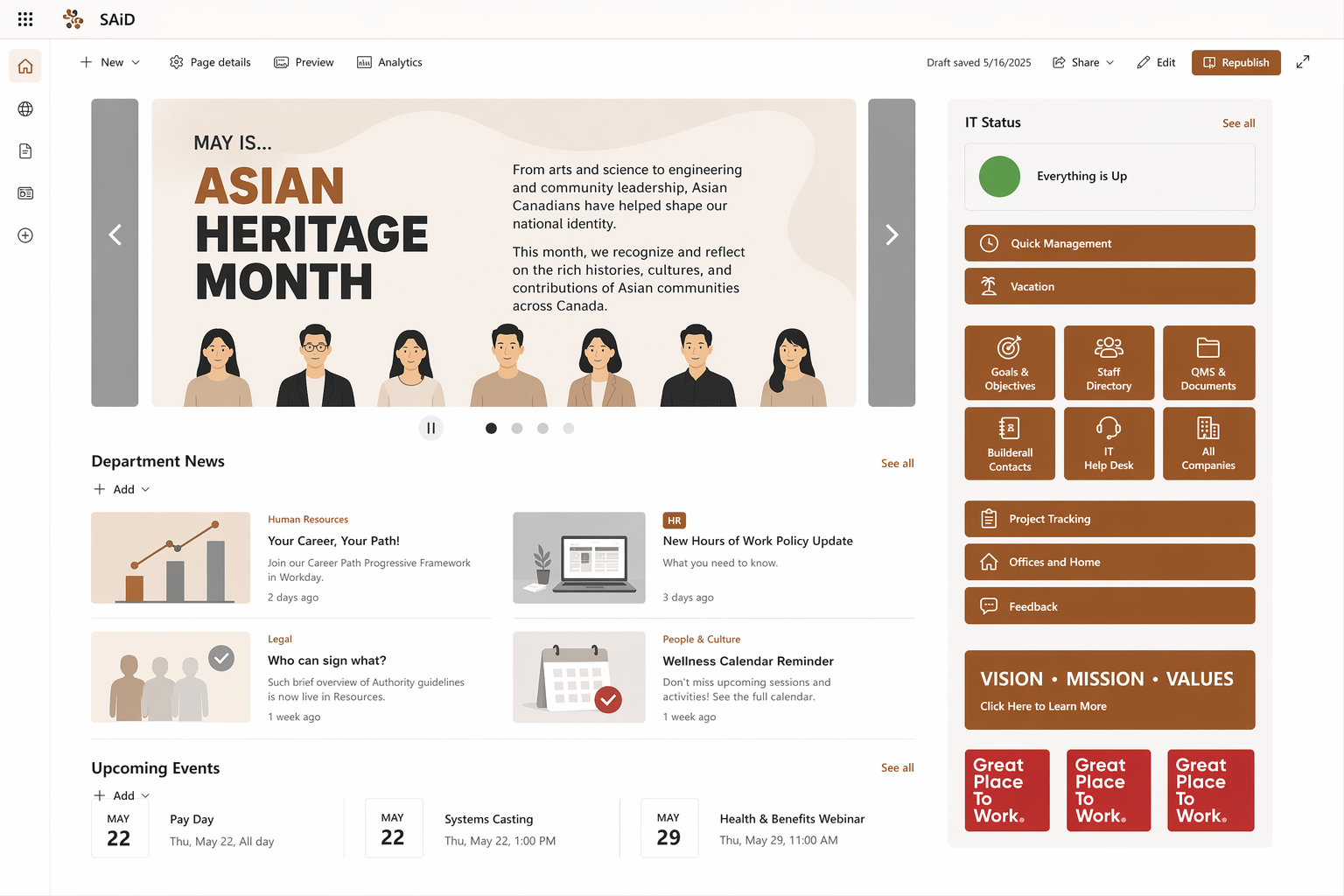
Smith and Andersen SharePoint Intranet Homepage
A new SharePoint Online intranet with a hub-and-spoke architecture
The team developed a new information architecture centred on a communications hub, which includes dedicated sites for departments such as HR, IT, Knowledge Management, Legal, Marketing and Communications, Engineering, and others.
The homepage features an image rotator, a news roll-up for departments, an events calendar, and quick links, all built on modern, out-of-the-box SharePoint Online to ensure the platform remains upgradeable and easy to maintain.
This wasn't a migration. There is no straightforward upgrade path for publishing sites from SharePoint 2013, so Envision IT built the new environment from the ground up and helped Smith + Andersen mine and re-author the content from the old site that was worth carrying forward.
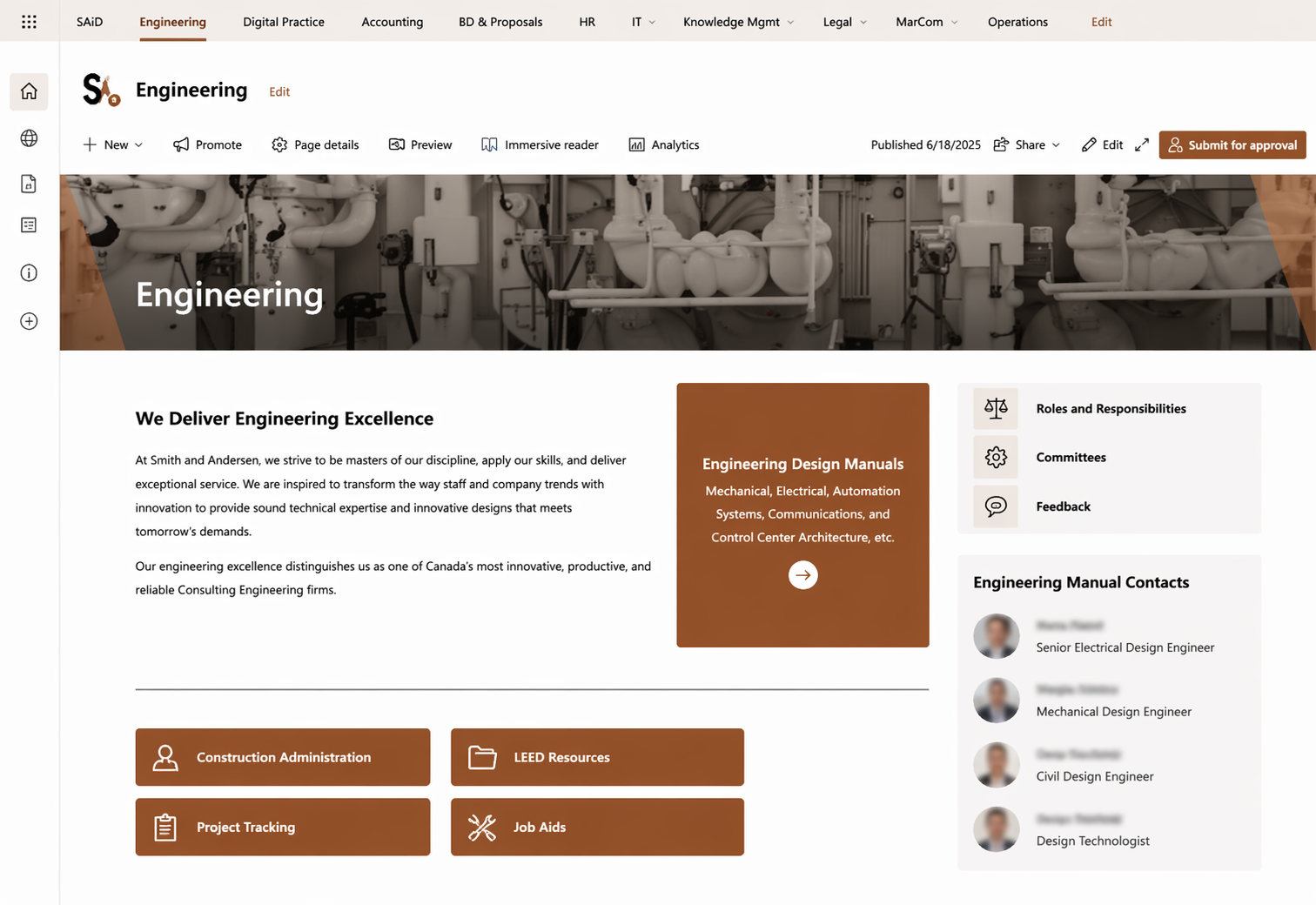
Smith and Andersen Engineering Intranet Homepage
Engineering Manual Search, turning documents into discoverable knowledge
The piece the engineering teams care about most is a purpose-built Engineering Manual Search, designed around the two natural ways people look for an answer:
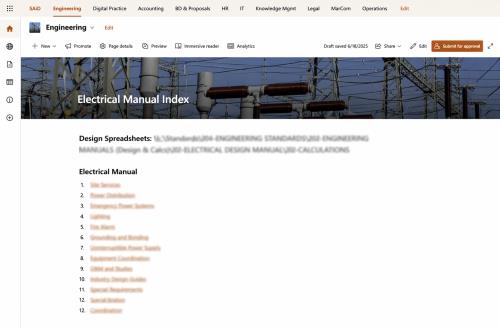
- Browse when you have a general idea: an index page lets engineers navigate top-down (e.g., Electrical → Site Services), like finding a section on a shelf.
- Search when you don't: a faceted search lets them find a phrase or concept and refine by discipline, like Ctrl-F across a whole library.
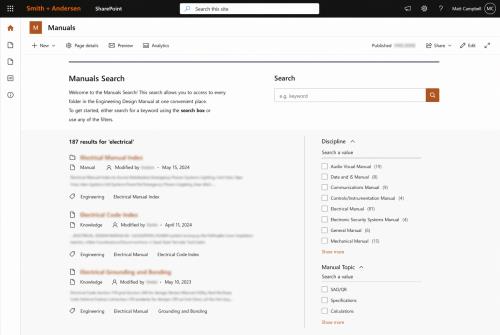
Engineering Manual Search Index
Under the hood, both paths run on the same foundation:
- A custom "manual page" content type that lets engineering team members author each section directly as a SharePoint page rather than a Word document.
- 321 in-depth manual entries across 13 disciplines, with refiners by discipline (Electrical, Audiovisual, Construction Administration) and topic tags.
- An auto-generated, sticky table of contents on every page, built from H2 and H3 headings, so a user hunting for a specific clause like "Substantial Performance" in Construction Contracts can jump straight to it.
- A consistent reading experience across disciplines, with each manual detail page surfacing content from its dedicated location on the site.
Smith and Andersen Business Contacts Directory on Staff 365
People Search built on Staff 365, EUM, and Azure AI Search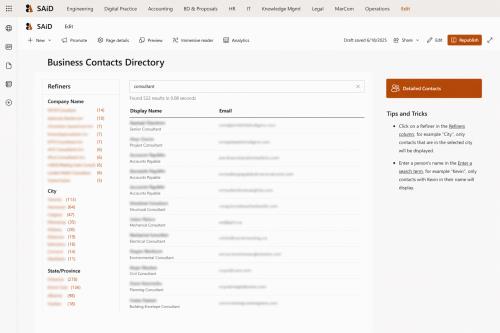
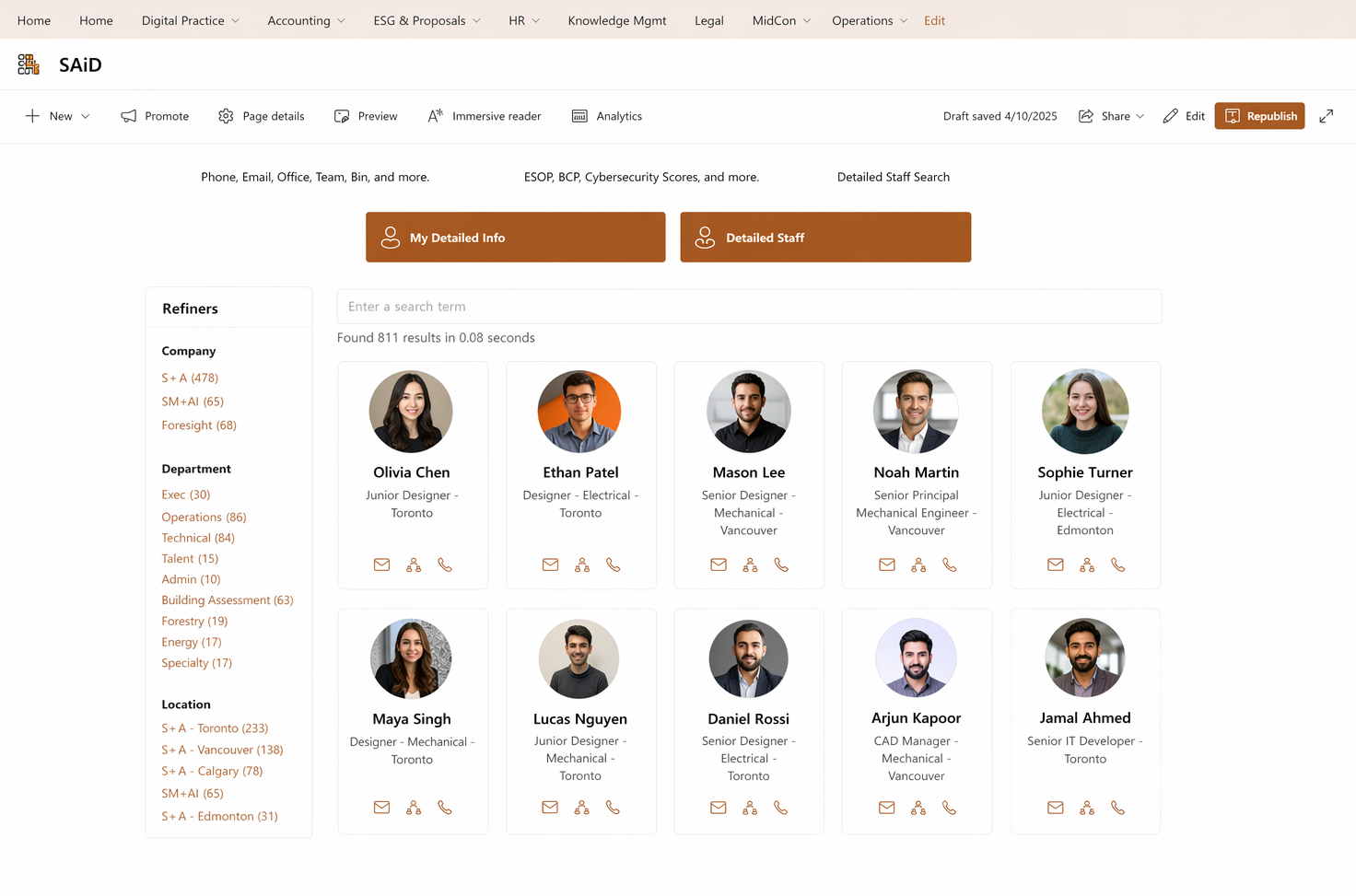
The People Search component required more engineering because the source of truth wasn't where you'd expect it to be. Envision IT used Staff 365 and an extended Azure AI Search index to bring Smith + Andersen's SQL system and Microsoft Entra ID into a single experience:
- Source-of-truth ingestion. The AI Search schema was extended to include a new "staff" record type that retrieves all relevant attributes from the SQL system. Each person now has two correlated records: one from Entra ID and another from the source system, linked by a staffID mapped to Entra's employeeID.
- Diff and sync reporting. A comparison report shows exactly where Entra has diverged from the source (for example, a department change made in SQL but not reflected in Entra) and automatically pushes qualifying updates back into Entra.
- Rich profile cards. Because the staff object includes more attributes than Entra's user object, profile cards display a complete picture: department, manager, role, location, and a synchronized profile photo accurately attached to the correct record.Smith and Andersen Business Contacts Directory on Staff 365
- Refiners that match how people work. Beyond department and location, staff results can be filtered by Active/On Leave status, pulled directly from the source system, so users see only the colleagues they can reach today.
- Azure AI Search over Microsoft Graph. At Smith + Andersen's scale, Graph becomes expensive and slow, lacks wildcard or partial matching, doesn't support batch group membership checks, and can be hours out of date. Azure AI Search delivers sub-second partial matching and the consistency that the firm's workflows rely on.
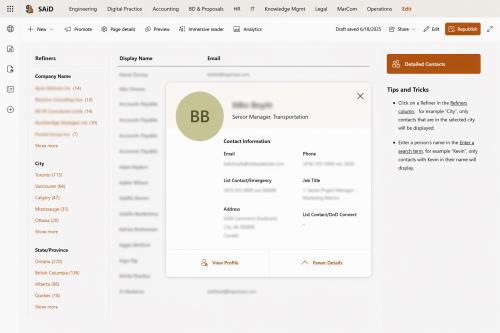
Business Contacts Directory: institutional knowledge, captured
Once the business contacts directory was operational, the next step was to extend it to the firm's external contact base. Envision IT integrated Smith + Andersen's business contacts database, roughly 36,000 owners, consultants, subcontractors, and vendors, into the same user experience as the staff directory.
Users can search by name, company, role, or location, then refine results with filters. A project manager seeking a facility management consultant in Calgary can quickly narrow the "consultant" category by city to find a firm in a few clicks. Contact intelligence that once lived in individual Outlook mailboxes is now institutional knowledge available to anyone who needs it.
The Result: A More Efficient Workplace for Engineers and Project Teams
The new SAiD is now at the heart of daily work at Smith + Andersen, and its biggest change is something many companies will recognize.
On the old site, staff often had trouble finding what they needed, so a few operations leaders became the go-to people for documents, templates, or contacts. Now, with better search and a clearer layout, SAiD answers most questions directly or through new pages added when needed. Knowledge that used to be limited to a few people is now available to everyone.
This change has affected everything else:
- Content has exploded, and so has authorship. In just over a year, the number of pages and materials has already passed what the old site had in more than ten years. Publishing a page is quick and easy, so more department leads are adding their own content.
- Engineering knowledge is now easier to use and grow. The Engineering Manual Search covers 321 entries across 13 disciplines, with browsing, faceted search, automatic tables of contents, and filters for specific topics and fields. Engineers can find answers on their own, and the BIM and digital practice teams continue to add new information.
- Self-service is now standard. Marketing materials, templates, training resources, business cards, swag requests, and contact information are all easier to find without having to ask anyone. This lightens the load for the proposals team and helps everyone know who is responsible for what.
- Onboarding and training are now more consistent. Training request forms, reference documents, and accountability logs are all stored in SAiD, so new hires get an easy introduction to the platform, and managers can quickly see what has been completed. The reference documents from each training session give staff something to review later.
- People and contact details are now easy to access from anywhere. Staff 365 brings Entra ID and the firm's SQL system into a single directory, with filters for Active or On Leave status, synced photos, and a report to keep everything up to date. Envision contact cards work on phones at job sites, so staff do not need a desktop to find a colleague or external partner.
- The business directory with 36,000 contacts is now shared across the firm. External owners, consultants, subcontractors, and vendors that were once kept in individual Outlook mailboxes can now be searched by name, company, role, and location. Sales, technical, and finance teams can find the right partner without depending on who first saved the contact.
"It's no longer a process just to try to get a page added. It's like click, click, page is added. We're capturing everything now. It's not something sitting on somebody's C drive that we'll never be able to find again when Sylvie retires. Everything is going into SAiD."
| Key Outcome | Detail |
|---|---|
| ✓ Platform modernized | Migrated from a SharePoint 2013 publishing site to modern SharePoint Online. |
| ✓ Engineering manuals digitized | 321 searchable manuals across 13 disciplines, with custom content types, a browsable index, faceted search, and an auto-generated table of contents. |
| ✓ Unified people search | Staff 365 + EUM + Azure AI Search integration combining Entra ID with the SQL source system, including Active and On Leave refiners. |
| ✓ Data consistency | Diff reporting and synchronization between the SQL source system and Entra ID across the firm's national workforce. |
| ✓ Profile richness | Profile cards with synchronized photos and source-system attributes beyond Entra ID's default profile fields. |
| ✓ External contact directory | Approximately 36,000 business contacts are searchable by name, company, role, and location. |
| ✓ Scalable foundation | Hub-and-spoke architecture with extensible Staff 365 customizations that do not block future upgrades. |
| ✓ Self-serve culture | Marketing collateral, templates, training resources, and contact lookups are now easily searchable, reducing email requests, lowering operational overhead, and accelerating project delivery. |
Why Envision IT
We built this platform around how Smith + Andersen actually operates, not the other way around. That's the thread that runs through every project we take on.
- We start with the 'art of the possible.' Before any architectural decisions are made, we walk a client's leadership team through what's achievable with Microsoft 365. Brian and his team pointed to that session as the catalyst that got everything moving. Once decision-makers can see the full menu, they can tell us what they want to build instead of guessing from the outside.
- We know Microsoft 365 inside and out. Choosing Azure AI Search over Microsoft Graph wasn't a default choice; it was a deliberate decision based on the firm's scale and query patterns. The custom manual page content type and the extended AI Search schema came from the same source. The right answer isn't always the obvious one.
- You get custom engineering without being locked into one version. Staff 365 and the Extranet User Manager People Search web part are the products in this project, so Smith + Andersen gets all the benefits of custom development while still moving forward with Microsoft 365 as it changes.
- We build for the people doing the work. The Engineering Manual Search reflects how engineers actually look for answers. The Active/On Leave filter is there so nobody wastes time pinging someone who's out. The mobile contact cards are there because a project manager on a job site needs a consultant in Calgary from their phone, not from their desk.
- We're in it with you. We bring our recommendations and the trade-offs behind them, adjust as your reality shifts, and stick around after launch to keep improving the foundation.
“We were coming from a place that was so far behind; it's not quite as simple as saying the interface has improved things for people. So many functions are streamlined now. People are going to the right people, or they're just finding the right things on their own. It's a mix of taking time off our plate and our customers'."
Start with the art of the possible
Whether you're staring down an aging SharePoint site, a knowledge base no one can search, or a directory that only exists in people's heads, we can help you map out what's possible and create a solution that helps your team propel forward.
Book a discovery call See more case studies