SharePoint 2016 End of Life: What It Means, Its Impact & Is It Time to Move?
If your organization is still using classic SharePoint, the clock is ticking, and just like Cinderella at the ball, the magic won’t last forever.
SharePoint has long been the foundation of modern collaboration and the pulse of many organizations’ digital workplaces. But in 2026, Microsoft is making a big move: it is retiring support for SharePoint 2016 and 2019, along with their related components, a key milestone for organizations still relying on these platforms.
If your intranet sites, document libraries, or workflows still depend on Classic SharePoint, it’s important to understand what this means for your business before the clock strikes midnight. With the SharePoint Add-In model retiring in April 2026 and server support ending in July, waiting until the last minute could have serious consequences.
This comprehensive guide explains what End of Life entails, describes its impact, and offers a detailed checklist to help you decide whether migration is needed so that you can prepare on your own terms.
Click to jump directly to the SharePoint 2016 End of Life Impact and Migration Readiness Checklist.
What does SharePoint 2016 End of Life Mean for Your Organization?
SharePoint Server 2016 and SharePoint Server 2019 reach end of support on July 14, 2026.
Running SharePoint Server beyond July 2026 means:
- No more security updates or patches, leaving systems vulnerable
- Risk of system instability and major business disruptions
- Rising costs for emergency remediation with no extended support available
Here’s a quick look at the lifecycle timeline:
| Product | Start Date | Mainstream End Date | Extended End Date |
|---|---|---|---|
| SharePoint Server 2016 | May 1, 2016 | July 13, 2021 | July 14, 2026 |
| SharePoint Server 2019 | October 22, 2018 | January 9, 2024 | July 14, 2026 |
Running these servers beyond this date means operating without a safety net. If you’re on SharePoint 2016 or 2019, it’s time to start planning your transition.
Key dates to watch:
- April 2, 2026 – SharePoint Add-Ins and classic workflows retire in Microsoft 365.
- July 14, 2026 – End of support for SharePoint Server 2016 and 2019.
- December 31, 2026 – Office Online Server retirement.
What does this mean for your organization in practical terms? Let’s explore the key ways SharePoint 2016 and 2019 end-of-life can affect your business and why planning is essential.
How will the SharePoint 2016 End of Life Impact Your Business Operations?
The end of life for SharePoint 2016 can significantly impact your organization. Running an unsupported system leaves your business open to various risks and challenges.
Security Vulnerabilities
Unsupported software can open the door to cyber attacks. Once Microsoft stops releasing updates, any new exploit will remain a persistent threat. Unsupported systems are prime targets for attackers, and without patches, your data and infrastructure remain at risk. Modern SharePoint environments provide advanced protections such as Conditional Access and Microsoft Defender, which older versions do not offer.
Compliance and Regulatory Risks
Industries with strict compliance requirements, such as healthcare, finance, and government, cannot afford oversight gaps. Legacy SharePoint often lacks comprehensive auditing capabilities, making it harder to meet standards such as GDPR, HIPAA, or ISO 27001. Failed audits can lead to fines, reputational damage, and delays in certifications.
Operational Disruptions
As your IT ecosystem evolves, older SharePoint versions struggle to integrate with modern tools. This can lead to broken workflows, downtime, and reduced productivity, especially when critical business processes depend on customizations that will no longer function after April 2026.
.png)
Is Your Organization Ready to Migrate from Classic to Modern SharePoint?
SharePoint has and will continue to evolve based on Microsoft’s 2026 roadmap, which targets a fully modern, cloud-optimized working environment.
Deciding whether you need to migrate is not simply a matter of “old vs. new.” It’s about understanding whether your current environment:
- Meets modern compliance and audit requirements
- Aligns with zero-trust security expectations
- Offers intuitive, mobile-friendly experiences for users
- Performs reliably under current workloads
- Supports accessibility and inclusivity standards, and
- Can be managed efficiently at scale.
These factors collectively show your organization's preparedness for the upcoming era of SharePoint, Microsoft 365, and collaboration. Before starting a migration or delaying it, every team should evaluate the impact and benefits of modernization.
Upgrades and migrations aren't a one-size-fits-all solution; some may transition to SharePoint Online, while others might choose SharePoint Subscription Edition or adopt a hybrid approach. Regardless of the path you select, the end-of-life date provides a vital opportunity to plan and enhance how your teams collaborate and innovate.
The following Key Considerations for SharePoint 2026 Migration Readiness will help you determine whether migration is necessary and how to prepare for it.
What are the Key Considerations for SharePoint 2026 Migration Readiness?
Deciding whether your organization needs to move to the modern SharePoint Online model is more about strategic fit than aesthetics. The question isn’t just, “Should we modernize our intranet?” but rather, “Does our current SharePoint environment still support the business we are becoming?” Classic SharePoint may still function, but it introduces unnecessary risk, increased operational costs, and workflow challenges.
Before making a decision, evaluate your current environment through six lenses. They will reveal much more than technical debt; they’ll show how well (or poorly) your digital workplace aligns with today’s compliance standards, security expectations, user needs, and organizational growth.
1. Compliance Alignment
From a compliance perspective, the key question is: Does your current SharePoint setup meet today’s regulatory requirements? Classic SharePoint was not designed for essential traceability, proper retention, or strong governance across the enterprise. If you use custom scripts, modified master pages, or outdated site templates, some of your content might not align with Microsoft's governance standards.
This can cause inconsistent retention, incomplete audit logs, and specific gaps that auditors will identify, especially if you need to comply with standards like ISO, SOC, HIPAA, GDPR, CMMC, or FedRAMP. Updating your SharePoint environment can help ensure your content is effectively managed and governed throughout its lifecycle.
2. Security Posture
Security expectations have changed significantly, and modern SharePoint is built on zero‑trust principles. Traditional SharePoint, particularly when customized with embedded JavaScript or Script Editor Web Parts, can unintentionally create pathways that bypass classification, labelling, and threat protections.
If sensitivity labels, Conditional Access, or DLP policies aren’t applied consistently, it indicates your architecture doesn’t align with Microsoft’s current security approach. Moving to modern removes these hidden attack surfaces and guarantees that the same service‑level protections govern all files and actions.
3. User Experience and Engagement
A modern intranet should make it simple for employees to find what they need and stay engaged. If your current experience feels outdated, inconsistent, or slow, or if it struggles on mobile devices, it impacts productivity, even if users don’t explicitly mention it.
Classic layouts weren’t built for today’s navigation standards or reading habits. Modern SharePoint provides cleaner layouts, responsive design, and components that make content more accessible. When organizations modernize, they usually see immediate improvements in engagement and findability.
4. Performance and Technical Lifecycle
Performance issues rarely occur on their own; they usually indicate underlying technical debt. If your setup depends heavily on older technologies like InfoPath, SharePoint 2010/2013 workflows, classic search, or custom master pages, you’re supporting infrastructure that Microsoft is gradually retiring.
These legacy components tend to be fragile, slow, and costly to maintain. Modernizing involves replacing these outdated dependencies with cloud-first tools that are faster, more reliable, and designed to scale with Microsoft 365.
5. Accessibility and Inclusivity
Accessibility is now both a legal responsibility and a baseline expectation for any modern workplace. Classic SharePoint’s older UI patterns make it difficult to meet WCAG 2.2, AODA, and other standards, particularly if your pages rely on tables, fixed‑width designs, or outdated HTML. Modern SharePoint includes accessibility best practices by default, from semantic markup to screen‑reader compatibility. If inclusivity or compliance matters to your organization, this alone may justify modernization.
6. Governance and Lifecycle Control
Governance is where minor issues turn into larger problems over time. If your environment has inconsistent site templates, unclear ownership, site sprawl, or content that accumulates without lifecycle policies, classic SharePoint has reached its operational limits.
Modern SharePoint restores structure through hub architecture, consistent templates, built-in lifecycle controls, and more predictable governance patterns. Modernization is often the most effective way to regain control of an environment that has grown organically or chaotically over the years.
If your review across these pillars reveals gaps, see them as signals to act: prioritize compliance and security first, modernize high-impact experiences second, and establish a consistent, governable foundation for future growth.
To Migrate or Not — That is the Question
Assessing your environment across these six areas gives a clear, honest view of whether your current SharePoint setup effectively supports your organization or holds it back. The main point is that you now know what to look for. If these factors raise concerns across several areas, it strongly indicates that modernizing your system is a crucial step towards building a secure, compliant, and future-ready digital workplace.
How Can You Move Forward with Confidence in a SharePoint Migration?.
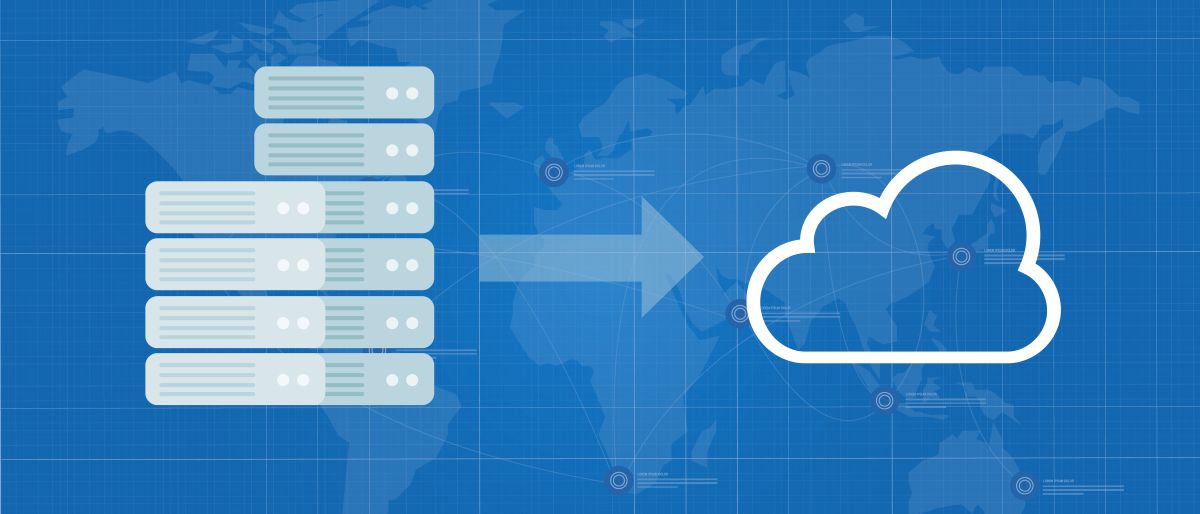
On-premises SharePoint is a standalone SharePoint environment. By migrating to the cloud, you unlock the full potential of the Microsoft 365 ecosystem, including advanced security, modern collaboration, automation, and AI-powered features that aren’t available on-premises.
Migrating to SharePoint Online enables your content and processes to work together across services such as Microsoft Purview for classification, retention, and compliance; Power Platform for automated workflows, apps, and integration; Teams for seamless communication; and Copilot for intelligent content creation and knowledge discovery. These cloud-native tools help reduce risks, boost productivity, and modernize your digital workplace in ways that on-premises SharePoint cannot.
Understanding what EOS means and how it affects your operations is a key step in building a secure, modern, and scalable environment. Cloud migration success depends on thoughtful planning, governance, and user experience, especially when moving away from legacy workflows, customizations, or outdated information architecture. Whether you're facing small gaps or complex technical challenges, you don’t have to navigate this change alone.
Envision IT helps you move to the cloud with confidence. From information architecture and modernization strategy to migration execution, Purview‑aligned governance, Power Platform integration, security alignment, and user adoption, we ensure your transition to Modern SharePoint is seamless, secure, and designed for long‑term value. If you’re ready to start your enterprise migration planning, we can help you shape your SharePoint 2026 modernization roadmap and build a future‑ready digital workplace that empowers your organization for years to come.
Ready to Assess your Environment?
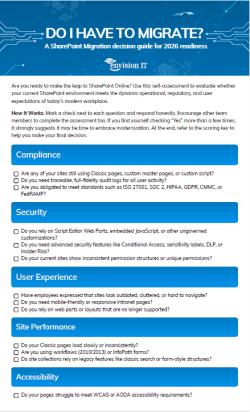
Download the SharePoint Migration Decision Guide for 2026 Readiness
Are you ready to make the leap to SharePoint Online? Use this self-assessment to evaluate whether your current SharePoint environment meets the dynamic operational, regulatory, and user expectations of today's modern workplace.
SharePoint 2016 End of Life FAQs
- No security patches, leaving systems vulnerable
- Increased compliance risks for regulated industries
- Higher operational costs and potential downtime
- SharePoint Online for a fully cloud-based experience
- SharePoint Subscription Edition for on-premises with modern features
- Hybrid approach combining both
Subscribe to Modern Work Monthly
Get the latest Microsoft 365 + Copilot insights to help your teams work smarter, faster.
We respect your inbox. Unsubscribe anytime.