Microsoft 365 Copilot Is Not Personal AI — And Staff Should Know That
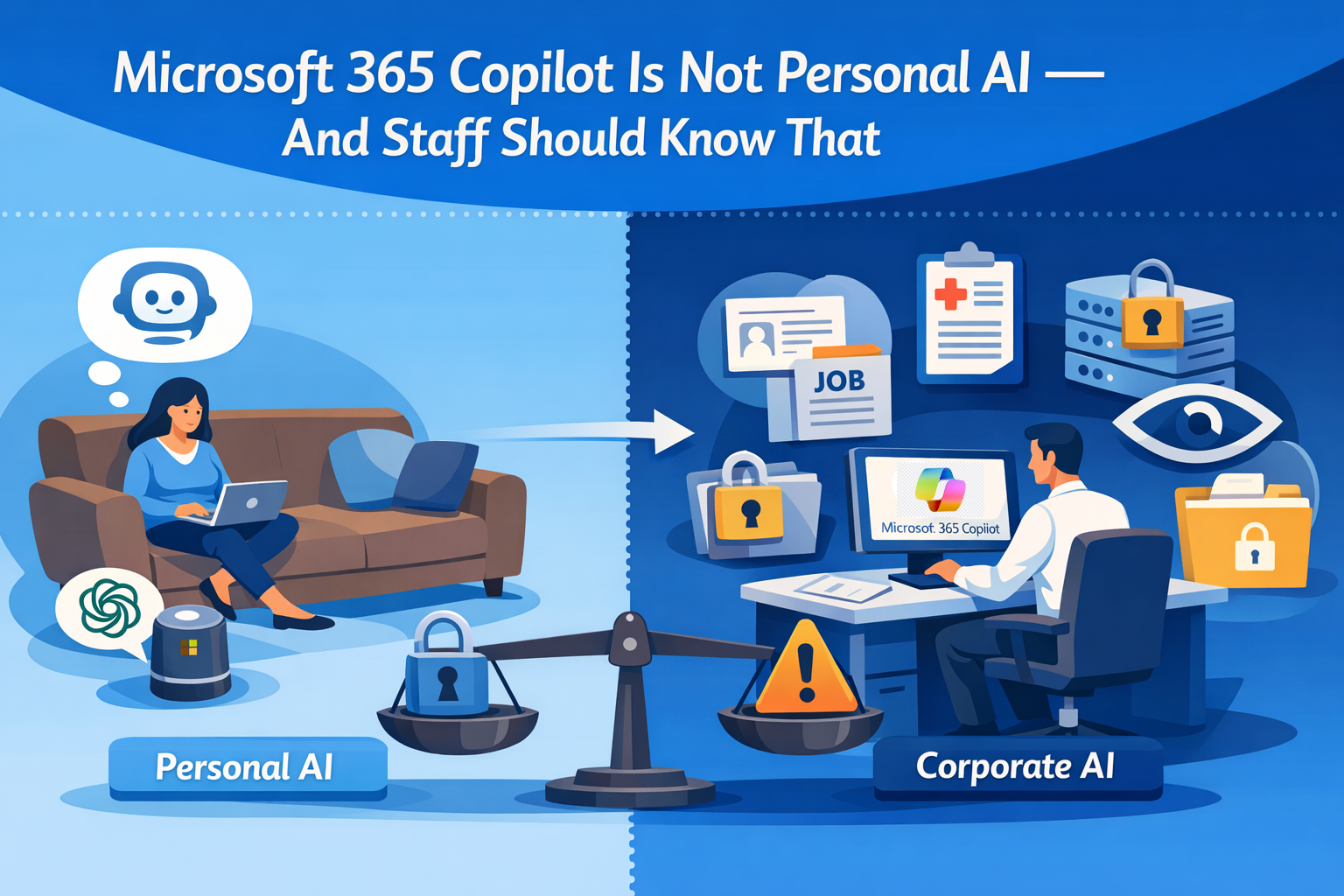
Most employees today have access to at least one AI assistant, and many have two: a personal one they use at home (ChatGPT, Claude, Gemini) and a corporate one they use at work (Microsoft 365 Copilot). The average knowledge worker probably doesn't spend much time thinking about the difference. They should.
As organizations roll out AI training and acceptable-use policies, the conversation almost always focuses in one direction: don't put sensitive company data into AI. That's important. But there's a mirror-image problem that gets far less attention: don't put sensitive personal information into corporate AI.
Both directions matter. And if you're responsible for your organization's Microsoft 365 environment, you need to be communicating both.
The Two-Way Privacy Problem
The standard mental model for AI risk looks like this: an employee loads confidential customer data into a personal ChatGPT account, it potentially ends up in a training dataset, a competitor eventually benefits. The fix seems obvious. Use the corporate-approved AI, which operates under your organization's data governance terms.
That concern is valid. But there’s a second scenario that receives far less attention:
An employee opens Microsoft 365 Copilot — the corporate AI — and starts typing about a health issue they're dealing with, vents about a conflict with their manager, or has any number of personal and private conversations.
They're not violating any policy. They're using the approved tool. But they may be exposing deeply personal information inside a system where the organization has legitimate visibility into activity.
Microsoft 365 Copilot chat history is stored in each user’s Exchange mailbox. Depending on permissions, organizations may access it through administrative mailbox access, Purview compliance tooling, or tenant-wide app permissions.
That employee typing about their health condition almost certainly doesn't know this.
What Organizations Can Actually See
At Envision IT, we've built Copilot usage telemetry into our Tenant Dashboard, tooling that gives Microsoft 365 administrators and business leaders visibility into how their tenant is actually being used.
This isn’t about exposing data that Purview can’t already reach; it’s about presenting those signals in a way that’s more useful for adoption analysis and governance than for formal compliance work.
We've been running it against our own environment, and the data tells a more interesting story than we expected.
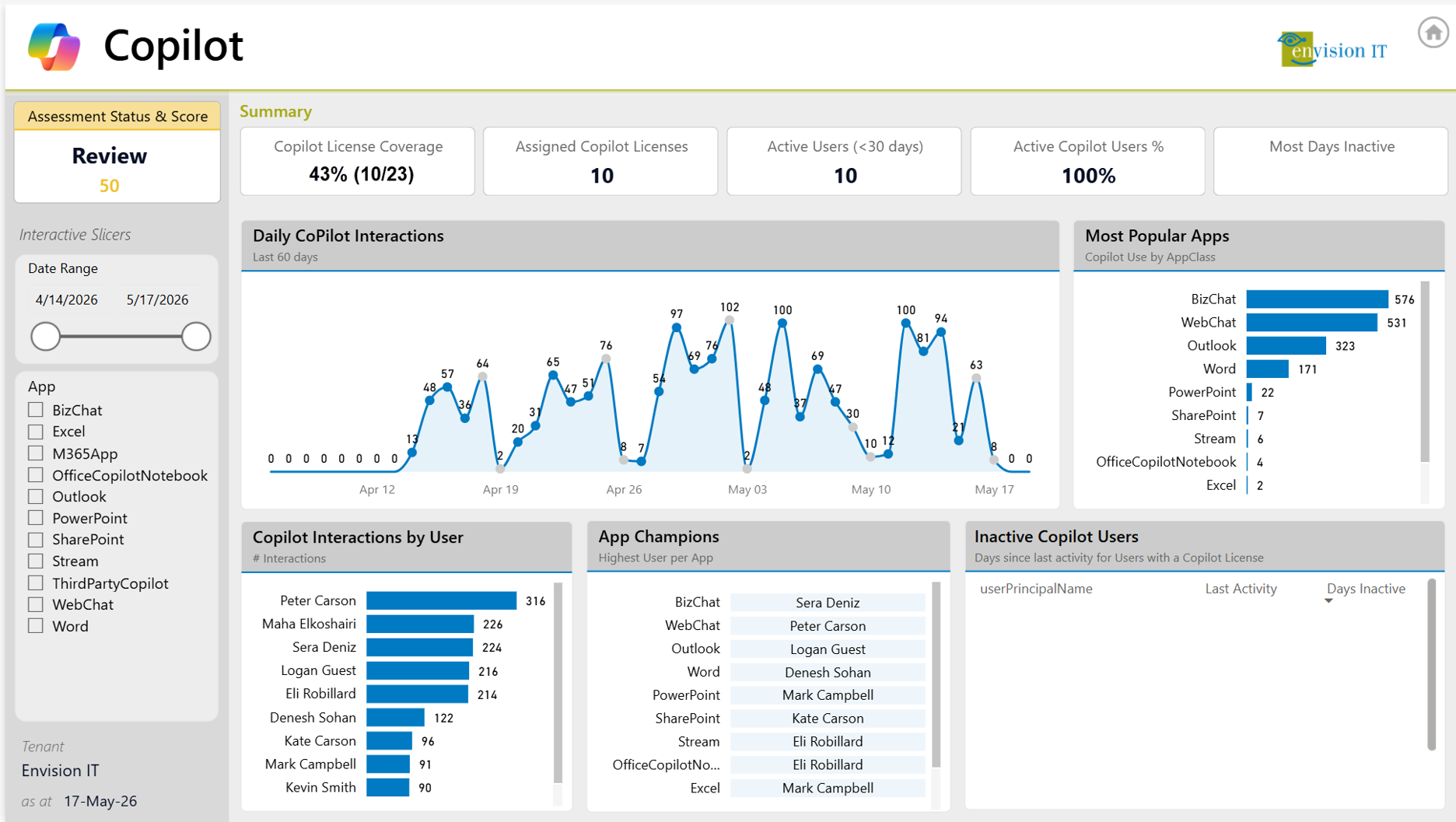
We have 23 staff. Ten have M365 Copilot licenses, while the remaining 13 are on the engineering team and have GitHub Copilot licenses. Over a recent 30-day window, those 10 users generated interactions across nine distinct M365 Copilot surfaces.
The Copilot page in Envision IT's Tenant Dashboard, showing interaction volume, app breakdown, per-user activity, and app champions across our own tenant.
BizChat led with 576 interactions, followed by WebChat at 531, Outlook at 323, and Word at 171. PowerPoint, SharePoint, Stream, the Office Copilot Notebook, and Excel all appear in the tail. The daily interaction chart shows a clear weekly rhythm. Activity peaks mid-week, drops to near-zero on weekends, which suggests people are integrating Copilot into regular work patterns rather than exploring it experimentally.
We also look at adoption patterns by user and by surface to identify internal champions and see where additional enablement may help. Our “App Champions” view helps surface early adopters who can support peer learning and broader uptake.
While our platform can also retrieve conversation content, we’re not using it that way today. There is no content analysis, no individual review, and no surfacing of private conversations. We’ve been deliberate about that boundary. With appropriate Purview permissions, organizations may also have compliance access to the same underlying content. Because that capability exists, employees should understand that they are interacting inside a corporate system, not a private personal AI space.
The Categories of Oversharing That Matter
When we talk to clients about this, a few categories come up consistently as the ones employees don't instinctively think about:
Personal health information. Someone using Copilot to draft a message to HR about an accommodation request, or asking it to help research a medical condition, is creating a record within the corporate tenant, even if it's never reviewed.
Job dissatisfaction and career intentions. Asking an AI to help polish a resume, or venting about a frustrating week before getting to the actual task, creates the kind of digital diary entry that people don't typically expect their employer to have access to.
Personal opinions and sensitive beliefs. People use AI assistants to think through all kinds of things, including opinions they wouldn't necessarily share with colleagues. The conversational feel of AI chat creates a false sense of privacy.
Interpersonal and family matters. Asking Copilot to help write a message to a family member, or processing a personal situation before switching to work mode, shows up in usage data more than most organizations would expect.
None of these represent policy violations. They're just people using a tool naturally — the way they'd use any AI assistant — without realizing that "corporate AI" and "personal AI" are fundamentally different contexts.
What Good Communication Looks Like
The organizations handling this well aren't issuing lengthy policy documents. They're having brief, honest conversations that make the mental model clear. Something like:
"Think of Microsoft 365 Copilot the way you think of work email. It's a great tool, and we want you to use it. But just like you wouldn't use your work email to manage personal medical appointments or write something you'd be uncomfortable with your manager seeing, the same applies here. For personal stuff, use a personal AI account."
That framing resonates because it's grounded in something employees already understand. Work systems are work systems. It's not a surveillance conversation, it's a "know your context" conversation.
We've been having this conversation in our own organization and encouraging clients to do the same. The goal isn't to make employees paranoid about their AI tools. It's to make sure they're using the right tool for the right purpose.
There's also a flip side that organizations need to own: be transparent about what you can see, and be clear that you're using that capability responsibly. Aggregate insights such as adoption trends, surface usage, and return on license investment are legitimate uses of this data. Monitoring individual employees' private thoughts is not. Keeping those two things clearly separated, as a policy matter and a communication matter, is part of what responsible AI governance looks like in practice.
Looking Ahead: The Developers Too
For organizations running development teams, this conversation doesn't stop at Microsoft 365 Copilot. GitHub Copilot is a separate product with its own interaction data, and for many development shops it's just as heavily used (or more so).
At Envision IT, 13 of our 23 staff have GitHub Copilot licenses. That's our entire development team. Today we're collecting M365 Copilot telemetry; bringing GitHub Copilot activity data into the same dashboard is on the roadmap. The goal is a unified view of AI tool adoption across the organization, not just one product.
The same privacy principles apply. Developers using GitHub Copilot in a corporate context are working inside a corporate system, and the same guidance holds: use the corporate tool for work, use personal accounts for personal things.
There's also an emerging opportunity in using AI to analyze AI usage, by running aggregate trend analysis across Copilot interaction data to understand adoption patterns, identify where productivity gains are concentrating, or evaluate whether training investments are translating into behavioral change. That's work we expect to do with the data we're collecting, at an aggregate level, as the dataset matures.
Integrating Other AI
Many organizations are running more than one enterprise AI pilot. Extending this reporting approach across tools such as ChatGPT Enterprise, Claude, Gemini, and others is a natural next step for governance and adoption analysis. If that’s part of your roadmap, it’s something we’d be glad to discuss.
The Practical Takeaway
The takeaway is simple:
- Employees need a clear mental model: Microsoft 365 Copilot is a work tool, not a private personal AI space. Use corporate AI for work, and personal AI accounts for personal matters.
- Organizations need to communicate that distinction clearly and be transparent about how corporate AI usage is governed, using legitimate access responsibly and drawing a firm line against individual surveillance.
Getting both right isn’t complicated. In most organizations, it comes down to a simple message delivered clearly and consistently: use corporate AI for work, and personal AI for personal things. If you haven’t made that distinction explicit with your staff yet, now is a good time to do it.
Subscribe to Modern Work Monthly
Get the latest Microsoft 365 + Copilot insights to help your teams work smarter, faster.
We respect your inbox. Unsubscribe anytime.